Our verdict: strong for teams with many pages and browsers. At $667 a month it is hard to justify for a small site.
Rating: 4.5 out of 5 · Starting price: $667 a month, billed annually (checked 16 Nov 2026) · Last tested: March to April 2026
Best for: larger teams with many pages to check. Not for: solo testers and small sites; see free alternatives.
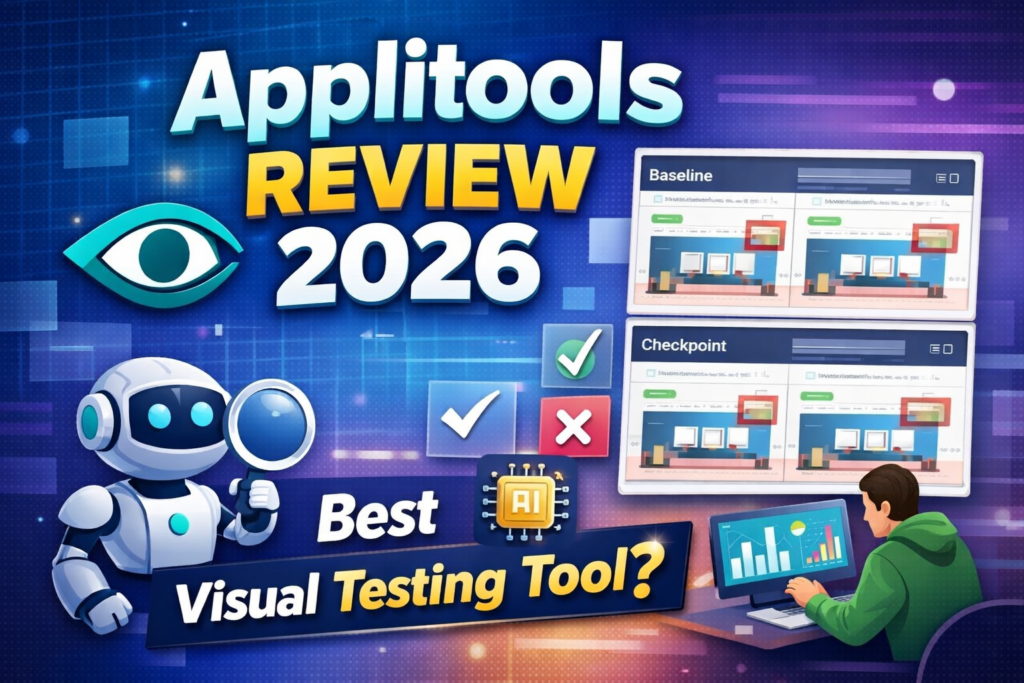
Our editor ran the Applitools Eyes 14-day free trial in March–April 2026 and used the no-code recorder on our own website. We have not re-tested since: a later attempt to open a new trial was blocked by a checkpoint-limit message, so pricing and current features below come from Applitools’ public pages, checked in November 2026. Visual testing is one of the most underused capabilities in modern QA — and Applitools is the tool that made it mainstream.
Applitools is a strong visual testing tool for teams that can pay for it. Its Visual AI catches layout and rendering regressions that functional tests miss, and a free trial lets you try it on your own app first. We last tested it in March to April 2026 and rate it 4.5 out of 5, losing half a point for its high entry price: the Starter plan is $667 per month, billed annually (checked 16 November 2026).
In this Applitools review, I will cover exactly what visual AI testing is, what Applitools offers, where it falls short, and who should use it in 2026.
Table of Contents
Applitools Review 2026 — Quick Summary
Applitools is an AI-powered visual testing platform that uses machine learning to detect visual bugs in web and mobile applications. Instead of checking that specific elements exist on a page, Applitools checks that the entire page looks correct visually — catching layout issues, rendering bugs, and design regressions that functional tests miss entirely.
The short verdict from this Applitools review — it is a strong visual testing tool for teams that can pay for it, and the free trial lets individual SDETs and small teams try it before paying. The main limitation is that it solves a specific problem — visual testing — rather than being a general-purpose automation platform.
What We Actually Ran
- What we tested: the Applitools Eyes 14-day free trial, started 21 March 2026 (confirmed by the sign-up and verification emails), using the no-code recorder against our own website, aitestingguide.com.
- What we did not test: the SDK integrations (Selenium, Playwright, Cypress), the Ultrafast Grid and the root-cause analysis in a CI pipeline. Those sections are based on Applitools’ documentation.
- Limits of this test: it was a single trial run by one person and we did not keep detailed notes, so we make no claims about speed, accuracy or false-positive rates.
- Re-test attempt, November 2026: a new trial account was blocked with “Exceeded monthly checkpoint limit” before we could run anything. We did not try to work around the block, and we will update this review if we can run a fresh test.
- Rating: the 4.5 out of 5 is an editorial rating from this limited test plus the documentation, not a benchmark result.
What Is Applitools?
Applitools was founded in 2013 and has become the industry standard for AI-powered visual testing. The platform integrates with Selenium, Playwright, Cypress, Appium, and most major automation frameworks — adding visual assertions to your existing test suite without replacing it.
The core technology behind Applitools is called Visual AI — a machine learning model trained on millions of web pages that understands the difference between a real visual bug and an insignificant pixel difference. This distinction is what separates Applitools from basic screenshot comparison tools.
Applitools is used by companies including Salesforce, Toyota, and GitHub. It has become a standard tool in the visual testing category that SDETs are expected to know in 2026.
For a full list of AI testing tools that complement Applitools, read my guide to the best AI testing tools for QA engineers.
This Applitools review covers everything you need to know before you start a free trial or pay for a plan.
Applitools Key Features
Visual AI Engine
The Visual AI engine is the core of Applitools and what makes it fundamentally different from basic screenshot comparison. Traditional screenshot comparison tools flag any pixel difference as a failure — including harmless differences caused by anti-aliasing, font rendering, and minor browser variations. This produces massive amounts of false positives that waste QA time.
Example: Applitools Visual AI detecting UI differences in a real test
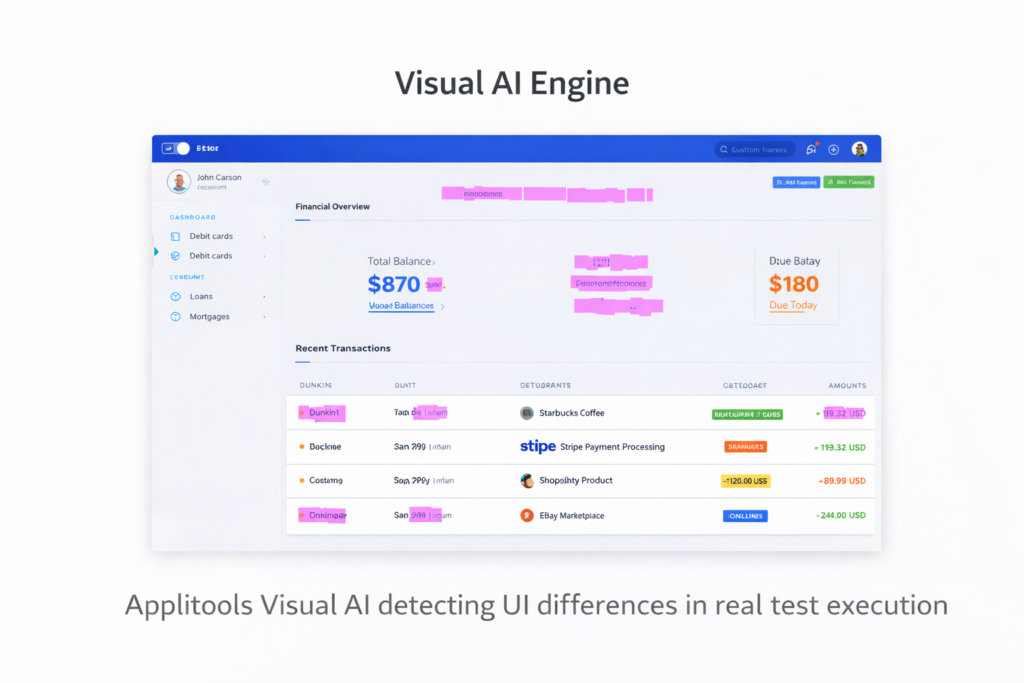
Applitools Visual AI understands what a real visual bug looks like versus what is an insignificant rendering difference. It ignores irrelevant differences and flags only genuine visual problems — like a button that has moved, a text block that is overlapping, or a layout that has collapsed on a specific browser.
Ultrafast Grid
Applitools Ultrafast Grid allows you to run visual tests across multiple browsers and devices simultaneously from a single test execution. Instead of running your test suite separately on Chrome, Firefox, Safari, and Edge, the Ultrafast Grid renders your application in all browsers in parallel and performs visual checks across all of them at once.
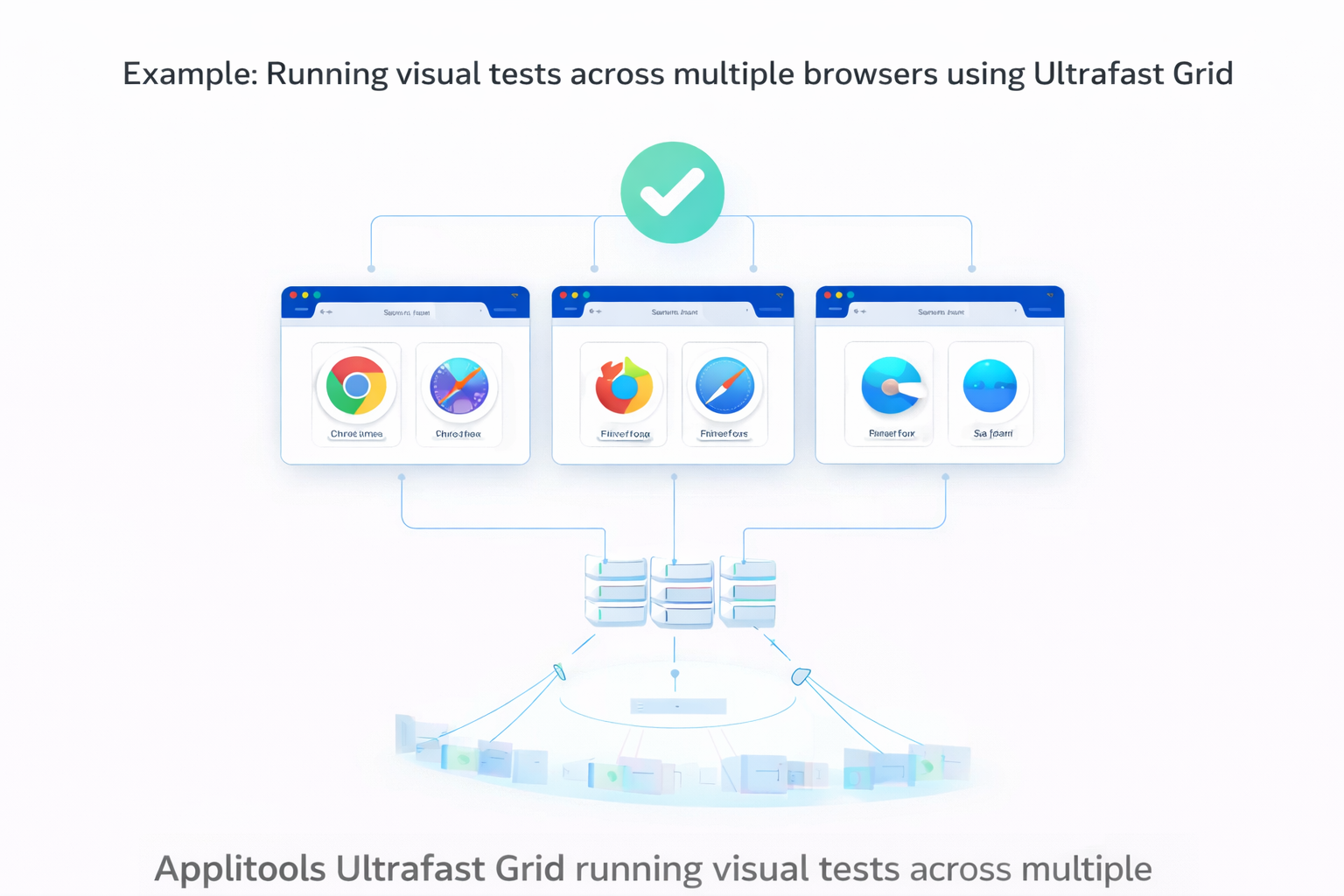
This can reduce cross-browser visual testing time from hours to minutes. A test suite that takes 4 hours to run across 10 browser configurations can complete visual checks in 10 to 15 minutes with the Ultrafast Grid.
Root Cause Analysis
When a visual test fails, Applitools provides root cause analysis that shows you exactly what changed and where. The dashboard highlights the specific differences between the baseline screenshot and the current screenshot with clear visual indicators.
Example: Applitools highlights unresolved visual issues during test execution
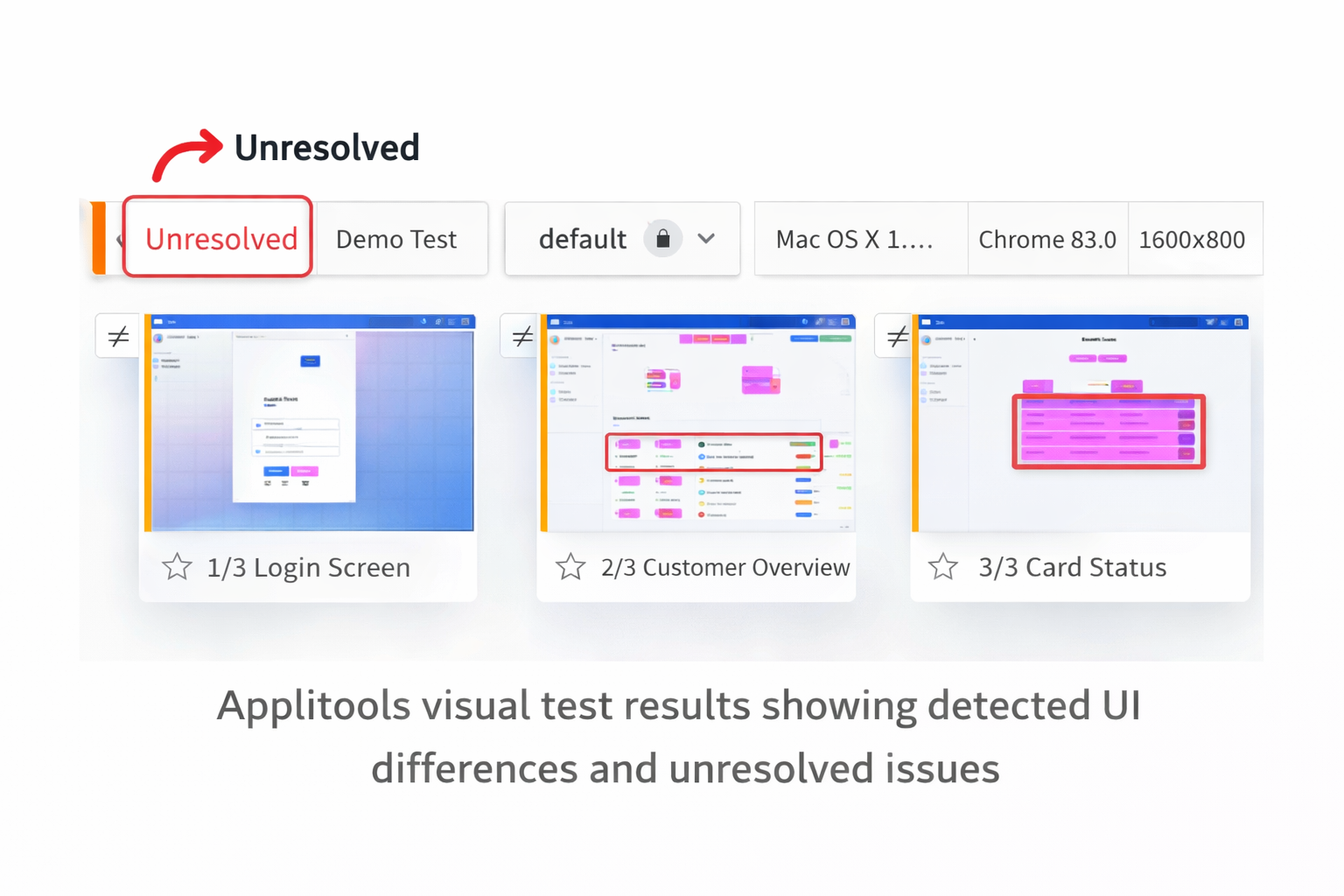
This makes it faster to determine whether a visual failure is a genuine bug or an intentional design change that needs a new baseline.
Cross-Browser and Device Testing
Applitools supports visual testing across Chrome, Firefox, Safari, Edge, and Opera on desktop and across iOS and Android on mobile. Visual tests run consistently across all supported browsers and devices through the Ultrafast Grid.
Integration with Existing Frameworks
Applitools adds visual testing to your existing automation framework rather than replacing it. You add Applitools Eyes SDK to your current Selenium or Playwright test, add visual checkpoints where you want visual assertions, and Applitools handles the rest.
This means you do not need to rewrite your existing tests. You extend them with visual capabilities.
What I Like About Applitools
Visual AI eliminates false positives. The difference between Applitools and basic screenshot comparison is dramatic. Basic tools produce so many false positives that they become unusable. Applitools Visual AI produces meaningful failures that represent real bugs.
A free trial to prove it first. You can run Visual AI against your own application before paying, which is enough to see whether it catches the layout and rendering bugs your functional tests miss.
Ultrafast Grid is impressive. Running visual tests across 10 browser configurations simultaneously in 15 minutes instead of 4 hours is a genuine engineering achievement.
Easy to add to existing frameworks. Adding Applitools to an existing Selenium or Playwright test requires adding the Eyes SDK and a few lines of code. The integration is clean and well-documented.
Catches bugs, but functional tests are missed. Layout bugs, CSS regressions, and rendering issues are invisible to functional tests. Applitools catches these automatically.
What I Do Not Like About Applitools
Solves only visual testing. Applitools is not a general-purpose testing tool. It does not replace Selenium, Playwright, or any other automation framework. It adds visual testing on top of your existing stack — which means you need another tool for functional testing.
High entry price. There is no permanent free plan. The cheapest plan, Starter, is $667 per month billed annually, and Professional and Enterprise need a sales call. That is hard to justify for a solo SDET or a very small team.
Checkpoint limits on Starter. Starter includes 100,000 component checkpoints or 1,000 page checkpoints. Suites that check many full pages on every run can outgrow it and move to Professional, which is quoted per team.
Learning curve for advanced features. Basic visual checkpoints are easy to add, but advanced features like layout mode, region ignoring, and Ultrafast Grid configuration require meaningful time to understand and configure correctly.
Applitools Performance: Speed, Accuracy and What Users Report
Performance in short: users rate Applitools highly for accuracy and less consistently for speed. On review sites it scores 4.3/5 on G2 (92 reviews) and 4.6/5 on Capterra (30 reviews), checked 13 November 2026. The most common performance complaints are false positives on highly dynamic pages and some waiting before results appear. Applitools says its Ultrafast Grid renders across browsers “in seconds”; we have not benchmarked that ourselves.
Our own trial (March–April 2026) was short and we did not record timings, so this section does not invent speed numbers. Instead it explains how Applitools is built to run fast, and what verified users report about speed and accuracy.
Speed: how the Ultrafast Grid works
A normal cross-browser suite runs every test once per browser. With the Ultrafast Grid, your test navigates the page once in a local browser. The SDK captures the DOM, CSS and page resources and uploads them; Applitools then renders that snapshot on each configured browser and device in its cloud, in parallel, and reuses cached resources for parts of the page that have not changed.
In practice, adding more browsers adds rendering work on Applitools’ side rather than more full test runs on yours. That is the basis of the vendor’s speed claims. The trade-off is that results depend on Applitools’ cloud: rendering and comparison happen after your test finishes, which is why some users mention a delay before results show in the dashboard.
Accuracy and false positives
- Accuracy is the most praised point. Reviewers on Capterra credit the Visual AI with comparing screens the way a person would, catching real layout bugs while ignoring rendering noise.
- False positives are the most common complaint. They show up on highly dynamic pages (live data, animations, rotating content) and with very small pixel shifts.
- The fix is configuration, not luck. Choosing the right match level (for example Layout instead of Strict for dynamic content) and marking ignore or floating regions removes most noise. This is the learning curve mentioned in the section above.
- Baselines need care. Intended UI changes have to be accepted as new baselines in the dashboard; on busy teams this review step is where time goes.
Review-site scores at a glance
| Source | Score | Notes (checked 13 Nov 2026) |
|---|---|---|
| G2 | 4.3 / 5 (92 reviews) | Rates perceived cost at the top of its scale; typical time to implement about 1 month |
| Capterra | 4.6 / 5 (30 reviews) | Ease of use 4.3, customer service 4.6; most visible reviews are from 2020, so treat them as older feedback |
| Gartner Peer Insights | Too few reviews | Only a couple of 2026 reviews, so we do not quote a score |
Bottom line on performance: if your pages are mostly stable, Applitools is accurate and the Ultrafast Grid keeps multi-browser runs short. If your UI is highly dynamic, budget time to tune match levels and ignore regions, or expect noisy results in the first weeks.
Applitools Pricing
Applitools no longer offers a permanent free plan. You can start a free trial, and after that the cheapest plan is Starter at $667 per month, billed annually. Professional and Enterprise are quoted by the sales team.
Source: Applitools platform pricing page, checked 10 November 2026. The page does not state how long the free trial lasts, so confirm that when you sign up.
| Plan | Price | What you get |
|---|---|---|
| Free trial | $0 for the trial period | Try Visual AI on your own application before paying |
| Starter | $667/month, billed annually | Unlimited users; 100,000 component checkpoints or 1,000 page checkpoints; Visual AI, Visual AI MCP server, Figma and Storybook integrations, cross-browser and device testing, CI/CD integrations, accessibility testing, standard support |
| Professional | Custom quote | Starts at 150 active pages or 1,500 components with unlimited executions; adds AI-driven functional testing, NLP test authoring, codeless API testing and priority support |
| Enterprise | Custom quote | Starts at 350 active pages; adds dedicated or private cloud, SSO/SAML, custom SLAs and premier support |
Is it worth the money? For a team that ships UI changes every week and loses time to visual bugs, Starter can pay for itself. For a solo SDET or a small side project, the trial plus a free option such as Playwright screenshot assertions is the cheaper route.
Prices checked on the official Applitools pricing page on 9 November 2026. Vendors change prices often, so check before you buy.
Applitools Alternatives: Percy, Chromatic and Free Tools
Short answer: the main Applitools alternatives are Percy (part of BrowserStack), Chromatic (best for teams that already use Storybook) and free screenshot testing with Playwright or BackstopJS. Choose Percy if you already pay for BrowserStack, Chromatic for component libraries, and a free tool if you only need pixel comparison and can live with more false alarms. Applitools stays the strongest choice when you need Visual AI that ignores harmless rendering noise.
Want a cheaper route? See our Applitools alternatives with free tiers and prices checked in November 2026.
Is Applitools a good fit for small businesses? Usually not on price alone. There is no free plan and paid plans start at $667 a month billed annually, so most small teams start with Percy’s free plan or free Playwright screenshot tests, and consider Applitools once false alarms from pixel comparison start costing them real time.
Want the full picture? Read our comparison of the best AI visual testing tools, with free and paid options side by side.
| Feature | Applitools | Percy | Chromatic | Basic Screenshot |
|---|---|---|---|---|
| Visual AI | ✅ Yes | ⚠️ Basic | ⚠️ Basic | ❌ No |
| Free option | ⚠️ Trial only | ✅ 5,000/month | ✅ Free: 5,000 snapshots/month | ✅ Free |
| Ultrafast Grid | ✅ Yes | ❌ No | ❌ No | ❌ No |
| Framework support | ✅ All major | ⚠️ Limited | ⚠️ Limited | ✅ All |
| False positive reduction | ✅ Excellent | ⚠️ Moderate | ⚠️ Moderate | ❌ Poor |
| Pricing transparency | ⚠️ Starter $667/mo, others custom | Public: free plan, paid from $199/month billed annually | Public pricing page (paid tiers not verified by us) | ✅ Free |
| Best for | Enterprise QA | Developers | React apps | Basic needs |
Applitools Review — Who Should Use It?
Applitools is a good fit if:
- Your application has a complex UI that changes frequently
- You are experiencing layout bugs that functional tests miss
- You need cross-browser visual consistency testing
- You want to add visual testing to your existing Selenium or Playwright framework
- You are an SDET building portfolio projects that demonstrate advanced testing skills
- Your team is responsible for visual quality across multiple browsers and devices
Applitools is not a good fit if:
- You need a complete testing platform — use Katalon or Mabl instead
- You only need basic screenshot comparison — free tools are sufficient
- Your application has minimal UI complexity
- You are just starting automation — learn Selenium fundamentals first
Applitools for SDET Career Development
Visual testing is an increasingly valued skill in SDET roles in 2026. Adding Applitools to your GitHub portfolio demonstrates that you understand testing beyond functional automation — a differentiator that most junior SDETs lack.
A free trial gives you time to add Applitools to a portfolio project, capture the visual differences it finds, and talk through the setup in interviews. Plan the project before you start the trial so you can finish it inside the trial period.
Read my complete guide on how to become an SDET in 2026 for the full list of tools that maximize your employability. And for free alternatives to complement Applitools, read my guide to free AI testing tools that actually work.
Recommended Learning Resources
For a visual testing tool with a free plan, see our Percy review.
Before paying for visual AI, see how far a free pixel diff goes in our visual regression testing guide, where a tuned Playwright setup caught all 4 planted bugs.
Final Thoughts
This Applitools review concludes that Applitools is the best visual AI testing tool available in 2026. The Visual AI engine genuinely works, the Ultrafast Grid is impressive, and the free trial lets you prove its value before paying.
The main limitation is that Applitools solves one specific problem — visual testing. It is not a replacement for your functional test automation stack. It is an addition to it.
For SDETs who want to differentiate themselves with advanced testing skills, learning Applitools during a free trial is one of the highest return investments you can make in 2026.
Overall rating: 4.5 out of 5
A strong visual testing tool for teams that can pay for it. Loses half a point for its high entry price ($667 per month on Starter) and the lack of a permanent free plan.
Frequently Asked Questions
Is Applitools free to use?
No. Applitools no longer has a permanent free plan. You can start a free trial to test Visual AI on your own app, and after that the cheapest plan, Starter, costs $667 per month billed annually (checked November 2026).
What is Visual AI testing?
Visual AI testing uses machine learning to check that your application looks correct visually — detecting layout bugs, CSS regressions, and rendering issues that functional tests miss. Applitools Visual AI understands the difference between a real visual bug and an insignificant pixel difference.
Does Applitools work with Selenium?
Yes — Applitools integrates with Selenium, Playwright, Cypress, Appium, and most major automation frameworks. You add the Applitools Eyes SDK to your existing test and add visual checkpoints where needed.
How does Applitools compare to basic screenshot testing?
Basic screenshot comparison flags any pixel difference as a failure, producing massive false positives. Applitools Visual AI understands what constitutes a real visual bug and ignores irrelevant rendering differences — making visual test results actionable rather than overwhelming.
What is the Applitools Ultrafast Grid?
The Ultrafast Grid allows you to run visual tests across multiple browsers and devices simultaneously from a single test execution. Cross-browser visual testing that would take hours sequentially completes in minutes with the Ultrafast Grid.
Related reading

QA automation engineer. Each guide says what I ran myself and what I only researched, and I update it when things change. About me
One useful email a week
New guides, tool price changes and AI testing news. No spam.