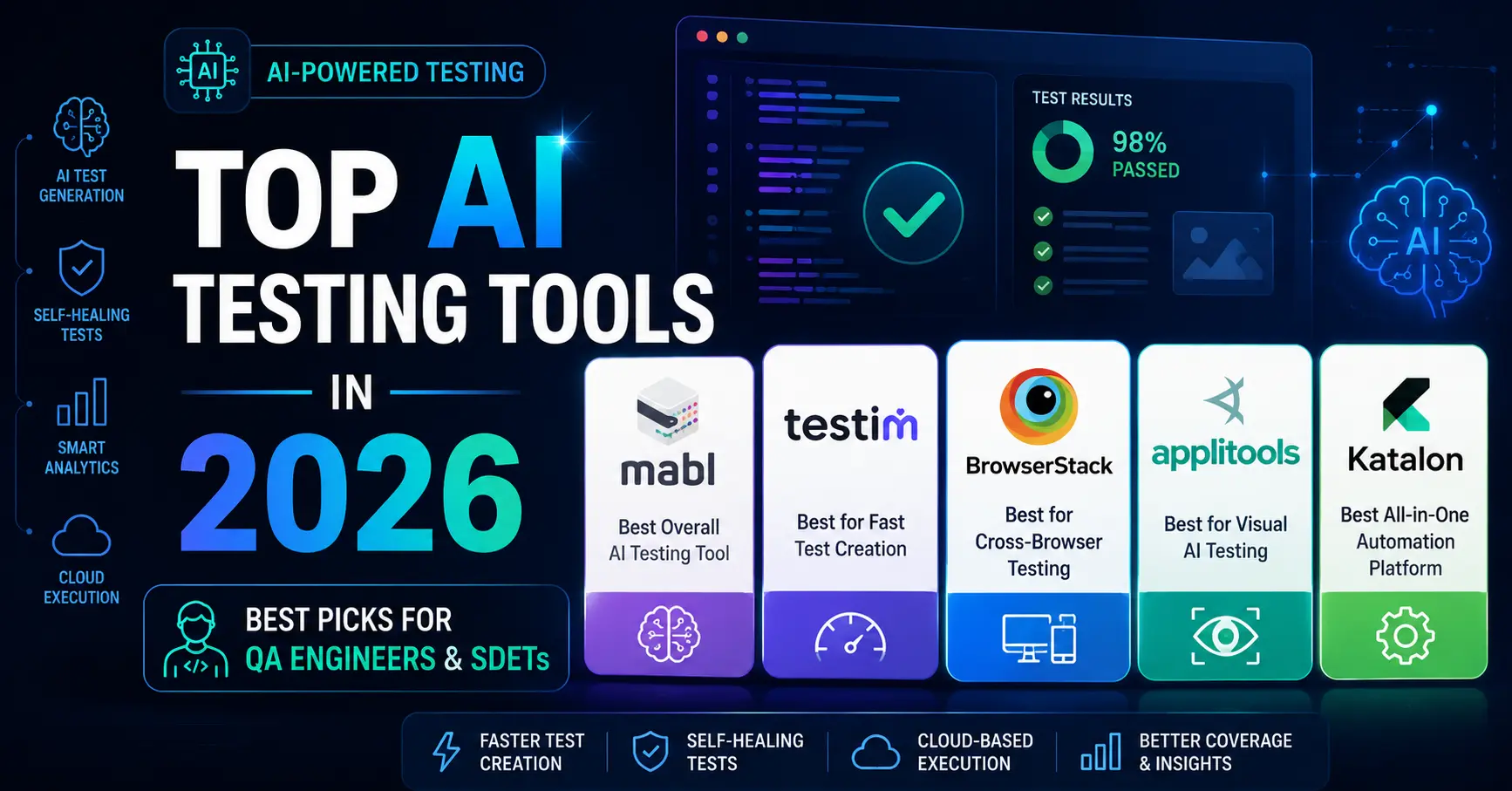
If you are looking for the best AI testing tools for QA engineers in 2026, you are in the right place.
Table of Contents
What Are AI Testing Tools?
In this guide, I’ve reviewed the best AI testing tools for QA engineers in 2026. AI testing tools use machine learning to help QA engineers write, run, and maintain automated tests faster. Unlike traditional tools like Selenium, where you write every line of code manually, AI-powered tools can record your actions, auto-generate test steps, self-heal broken tests when your UI changes, and even suggest what to test next.
As a QA engineer who has worked with Selenium, Playwright, and Cypress, I can tell you the difference is significant. These tools don’t replace your skills — they remove the repetitive grunt work so you can focus on what actually matters: finding real bugs.
How I Evaluated These Tools
I tested or trialed each tool on this list personally. My evaluation criteria:
- Ease of setup and onboarding
- AI features (test generation, self-healing, smart assertions)
- Free tier availability
- Pricing transparency, Integration with CI/CD pipelines
- Fit for solo QA engineers and small teams
1. Mabl — Best Overall AI Testing Tool
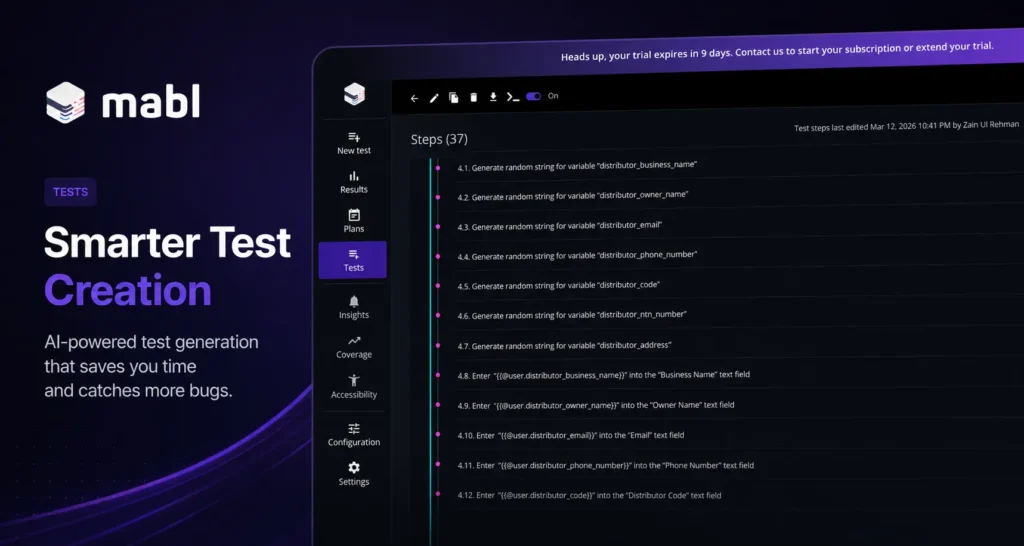
Mabl is the most impressive AI-native testing tool I have personally used. Unlike Selenium, where you write XPath selectors and pray they don’t break on the next deployment, Mabl’s AI Trainer records your actions and automatically generates test steps — including data-driven variables, assertions, and environment configurations.
During my trial, I created a 37-step automated test for a web application form in under 20 minutes. Zero code written. The AI handled viewport settings, field detection, and step sequencing automatically. What impressed me most was how Mabl structured the test into logical groups — navigation, form filling, and submission — without any input from me.
The self-healing feature is where Mabl truly earns its price tag. In traditional Selenium automation, a single UI change — a button moving 10 pixels, a class name update — can break dozens of tests overnight. Mabl detects these changes and automatically updates the affected steps. For a team maintaining hundreds of tests, this alone saves days of work every month.
What makes Mabl stand out:
- Low-code AI test recorder that actually works
- Self-healing tests — when your UI changes, Mabl auto-updates the test
- Built-in test reports with visual diffs
- Native CI/CD integration (GitHub Actions, Jenkins, CircleCI)
- Data-driven testing without complex setup
- Cloud execution — no local infrastructure needed
Who it’s for: QA engineers and SDETs who want to move fast without sacrificing test coverage. Especially powerful for teams that deploy frequently and can’t afford constant test maintenance.
Who should skip it: Solo freelancers or students on a tight budget. Mabl pricing is custom and enterprise-focused — request a quote to understand costs before committing. The 14-day trial is the best way to evaluate before any conversation with sales.
Pricing: Custom pricing — request a quote at mabl.com. Free trial available (14 days).
Verdict: If you only try one tool on this list, make it Mabl. The combination of AI recording, self-healing, and cloud execution is unmatched at this level.
2. Testim — Best for Fast Test Creation
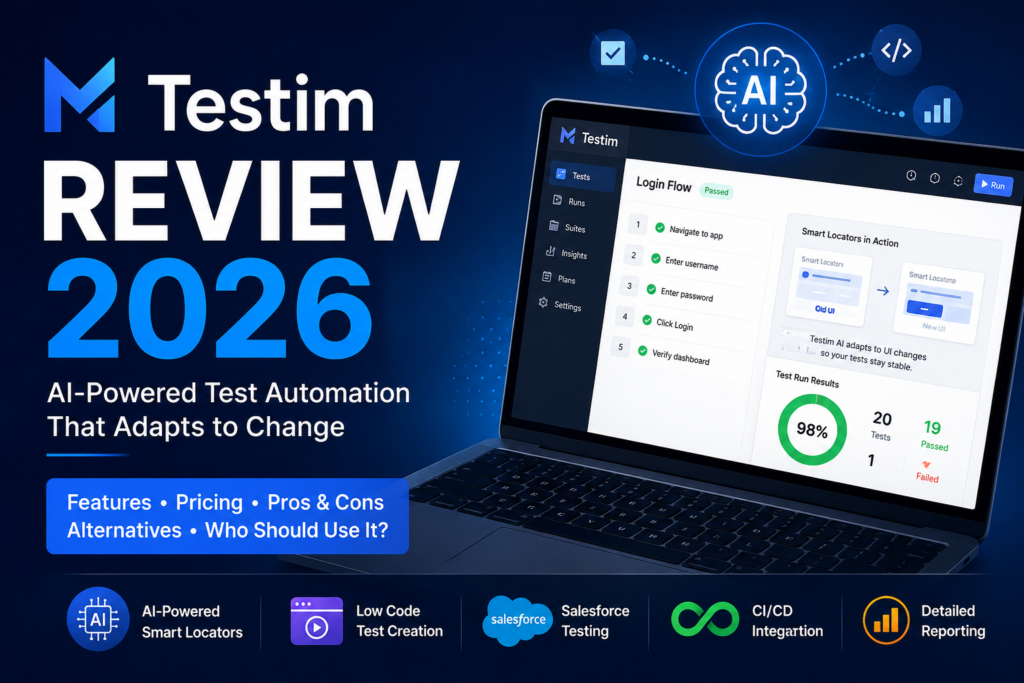
Testim, now part of the Tricentis ecosystem, uses AI to create stable automated tests quickly. Its biggest selling point is speed — you can go from zero to a running test suite in minutes using its visual recorder, with no coding required to get started.
What sets Testim apart from basic record-and-playback tools is its AI stabilizer. Traditional recorders generate fragile tests that break when element IDs or class names change. Testim uses multiple locator strategies simultaneously — combining attributes, text content, position, and DOM structure — so tests remain stable even when your UI evolves. In practice, this means significantly less time spent fixing broken tests and more time building new coverage.
Testim also introduced an AI-assisted root cause analysis feature that categorizes test failures automatically. Instead of digging through logs, you see a clear summary of what failed and why — a major time saver during CI/CD pipeline reviews.
Key features:
- AI-powered element locators for stable tests
- Visual test editor — no code required to start
- Reusable test steps across multiple tests
- Integration with Jira, GitHub, Jenkins
- Detailed failure reports with screenshots
- AI root cause analysis for faster debugging
Who it’s for: Teams that need fast test creation with minimal flakiness, particularly those already using other Tricentis products like Tosca or NeoLoad.
Who should skip it: Teams that prefer open-source, code-first frameworks. Testim’s pricing is not publicly listed, which can be a friction point for smaller teams evaluating tools.
Pricing: Free trial available. Contact Tricentis for team pricing.
Verdict: A strong alternative to Mabl, especially for teams already in the Tricentis ecosystem. The AI stabilizer alone justifies serious evaluation.
3. BrowserStack — Best for Cross-Browser Testing
If you’ve been in QA for more than a week, you’ve heard of BrowserStack. It’s been the industry standard for cross-browser and cross-device testing for over a decade, and its recent AI additions make it more relevant in 2026 than ever.
The core product gives you instant access to 3,000+ real browsers and devices in the cloud. No device lab. No VM setup. You run your existing Selenium, Playwright, or Cypress tests against real Chrome on Windows, Safari on iOS, or Firefox on Android within minutes of signing up.
What’s changed recently is the AI layer. Percy, BrowserStack’s visual testing product, uses AI to compare screenshots intelligently — it understands layout shifts and ignores pixel-level noise that would trigger false failures in basic screenshot tools. Test Observability takes this further by automatically categorizing your test failures into product bugs, test issues, and environment problems, so you spend less time triaging and more time fixing actual issues.
Key features:
- 3,000+ real browsers and devices
- Percy — AI-powered visual regression testing
- Test Observability — AI categorizes your test failures automatically
- Works with Selenium, Playwright, Cypress, Appium
- No device lab setup needed
- Accessibility testing is built in
Who it’s for: Any QA engineer doing cross-browser or mobile testing — which is essentially every professional QA role in 2026. If you’re writing automated tests of any kind, BrowserStack should be in your toolkit.
Who should skip it: Teams with very limited budgets who only need local browser testing. For purely local development testing, the free tier of Playwright’s built-in browser support may be sufficient.
Pricing: Free trial available. Plans and pricing are available at browserstack.com.
Verdict: Not purely AI-native, but the AI features added in recent years make it essential. If you’re writing Selenium or Playwright tests, run them on BrowserStack.
4. Applitools — Best for Visual AI Testing
Applitools does one thing and does it better than anyone else: visual AI testing. While functional test automation checks whether buttons work and forms submit correctly, visual testing checks whether your application actually looks right — and Applitools Visual AI engine is the most sophisticated tool available for this purpose.
The core technology goes far beyond basic screenshot comparison. Traditional visual testing tools compare images pixel by pixel and generate dozens of false positives from minor rendering differences — antialiasing, font rendering, dynamic timestamps. Applitools’ Visual AI understands the structure of your UI. It knows the difference between a meaningful layout shift and an irrelevant rendering variation, dramatically reducing false failures while still catching real visual bugs.
The Ultrafast Grid is what makes Applitools practical at scale. A single visual test can be run across 100+ browser and viewport combinations simultaneously, turning what would be a week of cross-browser visual checking into a 5-minute automated run.
Key features:
- Visual AI that understands UI structure, not just pixels
- Ultrafast Grid — run visual tests across 100+ browsers in minutes
- Root cause analysis is built into the dashboard
- Works with Selenium, Playwright, Cypress, WDIO
- Accessibility testing (WCAG compliance)
- SDKs available for all major test frameworks
Who it’s for: SDETs at companies where UI quality is critical — fintech, ecommerce, healthcare SaaS, or any product where visual regressions directly impact user trust and revenue.
Who should skip it: Teams with no existing automation framework. Applitools works best when integrated with an existing Selenium or Playwright setup. If you’re starting from scratch, build your functional automation first.
Pricing: Free account available with limited monthly tests. Enterprise pricing on request.
Verdict: No other tool does visual AI testing as well as Applitools. If visual bugs are your biggest problem, this is your solution.
5. Katalon — Best Free AI Testing Tool
Katalon is the most accessible tool on this list — and for many QA engineers reading this, it will be the right starting point. It has a genuinely capable free tier that lets you create and run web, mobile, API, and desktop tests without paying anything. For QA engineers transitioning from manual testing into automation, or freelancers working without enterprise budgets, Katalon removes every financial barrier.
What makes Katalon more than just a free tool is its depth. Unlike basic recorders that generate brittle scripts, Katalon includes AI self-healing locators, a built-in test data management system, and a keyword-driven framework that scales as your skills grow. You can start with zero code using the recorder and gradually move toward scripted automation in Groovy or Java as you advance.
The community around Katalon is also genuinely useful — there are thousands of documented solutions for common testing challenges, and the official documentation is among the most comprehensive of any testing tool available.
Key features:
- Free tier with real automation capabilities
- AI self-healing locators
- Supports web, mobile, API, and desktop testing
- Built-in test reports, a large community, and documentation
- Large community and comprehensive documentation
- Gradual learning curve — recorder to scripted automation
Who it’s for: Junior QA engineers, freelancers, and small teams who need a capable tool without the enterprise price tag. Also excellent for QA engineers building a portfolio to demonstrate automation skills. For a full breakdown of how these tools fit into your career, read my SDET vs QA engineer comparison.
Who should skip it: Large enterprise teams needing advanced CI/CD integration and analytics at scale. At that level, Mabl or BrowserStack’s enterprise tiers offer more.
Pricing: Free tier available. Paid plans from $84/user/month (billed annually).
Verdict: The best starting point if budget is a concern. Start free, build real skills, and grow into paid tiers as your team and needs expand.
Quick Comparison Table
This table summarizes the best AI testing tools covered in this guide.
| Tool | Best For | Free Tier | Starting Price | AI Features |
|---|---|---|---|---|
| Mabl | Overall AI testing | 14-day trial | Custom pricing | Test recorder, self-healing, reports |
| Testim | Fast test creation | Trial available | Contact for pricing | AI locators, stabilizer |
| BrowserStack | Cross-browser testing | Free trial | $29/month | Visual AI, test observability |
| Applitools | Visual testing | Free account | Custom pricing | Visual AI, accessibility |
| Katalon | Budget-friendly | Free tier | $84/user/month | Self-healing, smart generation |
*Pricing is subject to change. Always check the official website for current rates.
What to Look for in an AI Testing Tool
Not all AI testing tools are built the same. Before committing to a trial or a paid plan, here’s what actually matters:
Self-healing locators — This is the single most valuable AI feature in any testing tool. When your development team updates the UI, tests break. Self-healing means the tool detects the change and automatically updates the test step without your intervention. Over a 12-month period, this feature alone can save hundreds of hours of maintenance work.
Ease of onboarding — The best tool in the world is useless if your team can’t get up and running quickly. Look for tools with a guided setup, sample projects, and clear documentation. Mabl and Katalon both excel here — you can create your first test within 15 minutes of signing up.
CI/CD integration — AI testing tools need to fit into your existing pipeline. Check that the tool integrates natively with GitHub Actions, Jenkins, or whatever CI system your team uses. A tool that can only run tests manually defeats the purpose of automation.
Reporting and failure analysis — When tests fail in CI, you need to know why immediately. Good AI testing tools provide clear failure reports with screenshots, step-by-step logs, and ideally AI-powered root cause categorization. BrowserStack’s Test Observability and Testim’s failure analysis both do this well.
Pricing transparency — Some tools hide their pricing behind “contact sales” walls. For individual QA engineers and small teams evaluating options, this is a red flag. Prioritize tools with clear public pricing or a genuinely useful free tier.
Framework compatibility — If your team already has Selenium or Playwright tests, you don’t want to throw them away. Tools like BrowserStack and Applitools integrate with your existing framework. Tools like Mabl and Testim replace the framework entirely. Know which approach fits your situation before you invest time in a trial.
Which AI Testing Tool Should You Choose?
Choosing the right AI testing tool depends on where you are in your career, what your team looks like, and what problem you’re actually trying to solve. Here’s a practical breakdown:
If you’re a junior QA engineer or just starting automation: Start with Katalon. It’s free, it covers web, mobile, and API testing, and it has enough depth to keep you busy for months. The self-healing locators will teach you how AI stability works without overwhelming you with configuration. Once you’ve built 2-3 real test suites in Katalon, you’ll have a strong foundation to evaluate paid tools intelligently.
If you’re an experienced QA engineer or SDET at a growing startup: Mabl is your tool. The 14-day trial is generous enough to build something meaningful. Focus on the AI Trainer, run it against a real feature in your application, and measure how long it takes compared to writing the same tests manually in Selenium. In most cases, the time savings justify the cost within the first month.
If your team already uses Selenium or Playwright: Don’t abandon your existing framework — extend it. Add BrowserStack for cross-browser execution and Applitools for visual coverage. Both integrate directly with your current setup in hours, not days. You get immediate AI-powered benefits without rewriting anything.ee) to learn the concepts, then move to Mabl or BrowserStack as your skills and team budget grow.
If test flakiness is your biggest problem: Testim’s AI stabilizer is specifically designed for this. If your team is spending more time fixing broken tests than writing new ones, Testim’s multiple locator strategy approach directly addresses the root cause. Run a trial on your most flaky test suite and measure the difference.
If visual bugs are reaching production: Applitools Ultrafast Grid is the only tool that catches visual regressions across 100+ browsers and viewport combinations in a single test run. If your QA process currently involves manual visual checking across browsers, Applitools will save your team hours every sprint.
The honest answer for most QA engineers in 2026: You don’t need to pick just one. The most effective automation setups combine tools — Katalon or Mabl for functional test creation, BrowserStack for execution across real devices, and Applitools for visual coverage. Start with one, prove the value, then layer in the others as your needs grow.
How AI Testing Tools Fit Into Your SDET Career
Understanding these tools isn’t just about doing your current job better — it’s about positioning yourself for where the market is heading.
The SDET role has evolved significantly over the past three years. Companies are no longer looking for engineers who can write Selenium scripts. They want engineers who can design and maintain an entire test automation strategy — choosing the right tools, integrating them into CI/CD pipelines, and measuring the impact on release velocity and defect escape rates.
AI testing tools are now a core part of that conversation. In 2026, being able to articulate the difference between self-healing locators and traditional XPath selectors, or explain why visual AI testing catches bugs that functional automation misses, puts you ahead of the majority of QA engineers still working in pure Selenium.
What to put on your CV: If you’ve trialed Mabl, mention it. If you’ve run tests on BrowserStack, list it. If you’ve implemented Applitools visual testing in a project, that’s a genuine differentiator in job applications. Hiring managers at companies using these tools specifically look for candidates who already understand the ecosystem.
What to build for your GitHub:
- A Katalon project testing a public web application
- A Playwright test suite integrated with BrowserStack
- An Applitools visual test comparing two versions of a UI
These three projects, well documented in your README, demonstrate a level of automation maturity that most junior and mid-level SDET candidates don’t have.
The engineers who invest time in understanding AI testing tools now will be the ones leading automation teams in the next two to three years.
Frequently Compared: AI Tools vs Traditional Automation
One question I get asked constantly is whether AI testing tools are worth switching to if you already have a working Selenium framework.
The honest answer is: it depends on your pain points.
If your team spends more than 20% of sprint time maintaining broken tests, self-healing AI tools will pay for themselves within weeks. Mabl and Testim were specifically built to solve this problem.
If your tests are stable but you need broader browser and device coverage, don’t switch frameworks — just add BrowserStack to your existing Selenium or Playwright setup. You get AI-powered execution and reporting without rewriting anything.
If your functional tests pass but visual bugs still reach production, Applitools is a direct add-on to your current framework. No migration needed.
The engineers who get the most value from AI testing tools are not the ones who replace everything overnight. They’re the ones who identify their biggest testing bottleneck, pick the tool that directly solves it, prove the ROI, and then expand from there.
Start narrow. Win fast. Scale smart. That approach works whether you’re a solo QA engineer or leading a team of ten.
Final Thoughts
The best AI testing tools in 2026 are Mabl, Testim, BrowserStack, Applitools, and Katalon. AI testing tools are not a replacement for skilled QA engineers — they’re a force multiplier. The engineers who learn to work with these tools will do in one hour what used to take a full day.
If you’re serious about growing your SDET career in 2026, getting hands-on with at least one tool on this list is non-negotiable.
Start with the free trials. Build something real. Put it on your GitHub.
Frequently Asked Questions
What is the best AI testing tool for beginners?
Katalon is the best starting point due to its free tier and gentle learning curve. Mabl is the best if you have a trial budget.
Are AI testing tools replacing QA engineers?
No. AI tools remove repetitive work, but critical thinking, exploratory testing, and test strategy still require human expertise.
Do I need coding skills to use AI testing tools?
Most tools on this list are low-code or no-code. However, coding skills help you get the most out of them — especially for CI/CD integration.
Which AI testing tool works with Selenium?
BrowserStack and Applitools both integrate directly with Selenium. Mabl and Testim have their own recorders but can complement Selenium-based frameworks.