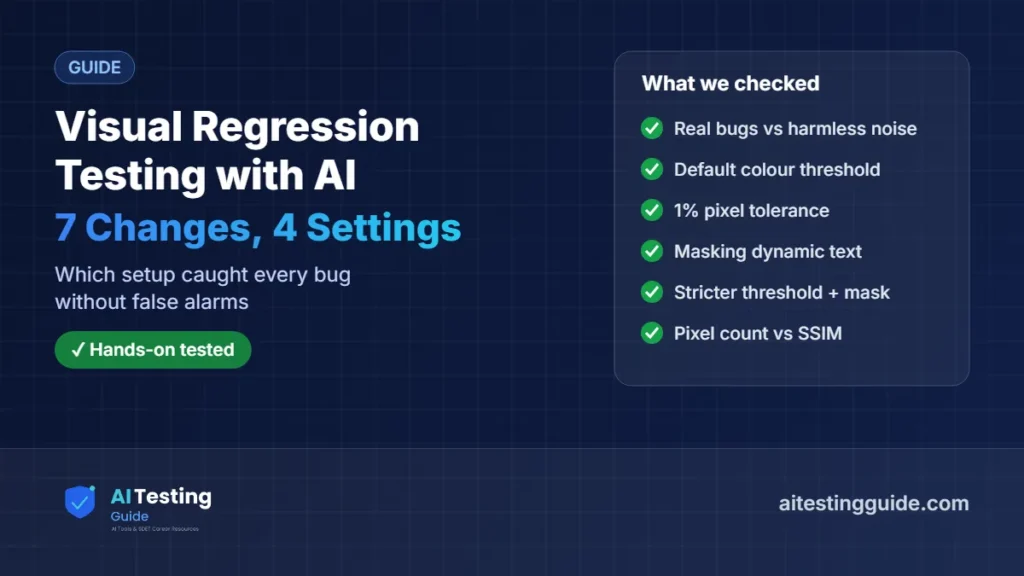
Visual regression testing catches the bugs functional tests miss: a wrong price, a shifted layout, a button that vanished. It also produces the most noise of any test type. On 13 November 2026 we ran Playwright’s screenshot tests against 7 planted changes, 4 real bugs and 3 harmless ones, with four different settings, to see which setup catches the bugs without crying wolf.
Visual regression testing compares new screenshots of your UI with approved baselines and flags differences. In our Playwright test, the default settings missed a real button-colour change and a 1% tolerance missed a changed price. A stricter colour threshold (0.05) plus masking the timestamp caught all 4 real bugs and ignored all 3 harmless changes. “Visual AI” tools mainly help when you cannot make screenshots stable.
Looking for tools rather than a method? Our best AI visual testing tools compares the commercial options, and we have hands-on reviews of Applitools and Percy. This guide is about how visual regression testing works and how to tune it.
Choosing a paid tool? Our Applitools alternatives page compares free tiers and prices, with a pixel-diff test on a demo shop.
Table of Contents
Table of Contents
What is visual regression testing?
Visual regression testing is automated checking that a page still looks the way it did. A tool takes a screenshot, compares it with an approved baseline image, and fails the test if the difference is bigger than you allow. When a change is intended, you approve the new screenshot and it becomes the baseline.
It complements functional tests. A functional test confirms the “Start free trial” button exists and works; a visual test notices that it turned the wrong colour, moved under the fold or disappeared behind another element.
How do pixel diffs and AI visual testing differ?
There are two families of tools, and the difference matters for how much you can trust a result:
| Approach | How it decides | Strength | Weakness |
|---|---|---|---|
| Pixel diff (Playwright, BackstopJS, reg-suit, Percy, Argos) | Compares pixels, with a colour tolerance and an allowed number of changed pixels | Deterministic: the same images always give the same result, and you can inspect the diff | Noisy if screenshots are unstable (fonts, animations, dynamic data) |
| AI-powered diffing (for example Applitools Visual AI) | A model decides which differences are meaningful and hides the rest | Copes better with unstable captures and large legacy suites | Less transparent; a model update can change verdicts |
| AI-assisted review (a newer pattern) | Pixel diff finds changes; an AI reviewer explains or triages them | Keeps the pixel diff as evidence | Still needs stable screenshots underneath |
Our visual regression test: 7 changes, 4 settings
We built a small pricing card page (heading, price, feature list, “Start free trial” button and a “Last updated” timestamp), saved a baseline, then made seven versions of it:
- 3 harmless changes: an identical re-run, a new timestamp (dynamic data) and a box shadow 1px softer (invisible to most people).
- 4 real bugs: price changed from $29 to $39, button colour changed from blue #2563eb to darker #1d4ed8, card padding 4px larger (layout shift), and the button hidden.
Each version ran through four Playwright toHaveScreenshot() settings on the card element:
const { test, expect } = require('@playwright/test');
const path = require('path');
const V = process.env.VARIANT || 'base';
const url = 'file://' + path.resolve(__dirname, '../pages', V + '.html');
test('A strict default', async ({ page }) => { await page.goto(url); await expect(page.locator('.card')).toHaveScreenshot('card-A.png'); });
test('B 1% tolerance', async ({ page }) => { await page.goto(url); await expect(page.locator('.card')).toHaveScreenshot('card-B.png', { maxDiffPixelRatio: 0.01 }); });
test('C mask timestamp', async ({ page }) => { await page.goto(url); await expect(page.locator('.card')).toHaveScreenshot('card-C.png', { mask: [page.getByTestId('stamp')] }); });
test('D strict colour + mask', async ({ page }) => { await page.goto(url); await expect(page.locator('.card')).toHaveScreenshot('card-D.png', { threshold: 0.05, mask: [page.getByTestId('stamp')] }); });| Change | Real bug? | A: Default | B: 1% tolerance | C: Mask timestamp | D: Threshold 0.05 + mask |
|---|---|---|---|---|---|
| Identical re-run | No | Pass | Pass | Pass | Pass |
| New timestamp | No | Fail (false alarm) | Pass | Pass | Pass |
| Shadow 1px softer | No | Pass | Pass | Pass | Pass |
| Price $29 → $39 | Yes | Caught | Missed | Caught | Caught |
| Button colour darker | Yes | Missed | Missed | Missed | Caught |
| Padding +4px | Yes | Caught | Caught | Caught | Caught |
| Button hidden | Yes | Caught | Caught | Caught | Caught |
| Result | 3 of 4 bugs, 1 false alarm | 2 of 4 bugs, 0 false alarms | 3 of 4 bugs, 0 false alarms | 4 of 4 bugs, 0 false alarms |
Three lessons came out of it:
- The default colour threshold can hide real bugs. Playwright’s default
thresholdof 0.2 treats two fairly similar blues as the same colour, so the button colour change passed every setting except D. - Percentage tolerances hide small bugs. The wrong price changed only 62 pixels by Playwright’s count, far below 1% of the image, so setting B let it through.
- Mask dynamic content instead of loosening the test. Masking the timestamp removed the only false alarm without weakening anything else.
Does a perceptual score beat counting pixels?
Partly. We also compared full screenshots with a strict pixel count and with SSIM, a perceptual similarity score (1.0 means identical), using scikit-image 0.26.0:
| Change | Pixels changed (strict) | SSIM |
|---|---|---|
| Identical re-run | 0 | 1.0000 |
| New timestamp | 157 | 0.9993 |
| Shadow 1px softer | 9,856 | 0.9997 |
| Price $29 → $39 | 260 | 0.9990 |
| Button colour darker | 14,864 | 0.9979 |
| Padding +4px | 31,968 | 0.8801 |
| Button hidden | 14,885 | 0.9673 |
A raw pixel count is a poor guide to severity: the invisible shadow change touched 9,856 pixels, almost 40 times more than the wrong price. SSIM ranked the shadow change as the most similar of all the changes, which is the right call, but the timestamp (0.9993) and the price bug (0.9990) were almost tied, so you would still need masking. This is the gap “visual AI” tools aim to close: judging which differences a person would care about.
How do you set up visual regression testing that people trust?
- Stabilise the screenshot first. Same browser, OS and fonts every run (Playwright’s docs recommend a consistent CI environment such as Docker); disable animations; wait for fonts and images.
- Mask or freeze dynamic content such as timestamps, ads, avatars and live data.
- Screenshot components, not whole pages, where you can. Smaller images make small bugs a bigger share of the diff.
- Tune the colour threshold down (we used 0.05) rather than raising pixel tolerances, and re-check for false alarms.
- Review and approve changes in the pull request, and update baselines only for intended changes (
--update-snapshotsin Playwright).
Where does AI help in visual regression testing?
AI helps most when you cannot fully stabilise screenshots: many browsers and devices, legacy pages with dynamic content, or thousands of baselines. AI-powered diffing decides which changes are meaningful; AI-assisted review explains and triages flagged diffs. In our wider look at AI in software testing, visual comparison is one of the most mature uses. The trade-off is transparency: a deterministic pixel diff with good masking, like setting D above, is easier to debug and free.
We did not run an AI visual tool for this article. For hands-on notes on the commercial tools, see our Applitools review, Percy review and Applitools vs Percy.
What we did and did not test
We ran the Playwright tests and the SSIM comparison above on 13 November 2026, on one simple demo page in one browser (Chromium) on Linux. We did not test Firefox or WebKit, other operating systems, full pages, real production sites, or any AI-powered visual tool for this article. Thresholds that worked here may need adjusting on your pages, so treat setting D as a starting point to tune, not a universal answer.
Sources and Versions Checked
- Playwright: Visual comparisons (toHaveScreenshot, baselines, update-snapshots)
- Argos: AI visual testing in 2026, what the AI actually does (20 Aug 2026, updated 5 Oct 2026; vendor article)
- Our run, 13 Nov 2026: Playwright 1.63.0 (bundled Chromium), Node.js 22.23.4, scikit-image 0.26.0, Linux
For how the main runners compare on plain functional regression, see our regression testing tools test.
Frequently Asked Questions
What does visual regression testing mean?
Automatically comparing new screenshots of your UI with approved baseline images, and failing the test when they differ by more than you allow.
Is visual regression testing the same as screenshot testing?
Mostly. Screenshot testing is the technique; visual regression testing is using it to catch unintended visual changes between versions.
Why do visual tests fail when nothing changed?
Usually unstable screenshots: different fonts or OS between runs, animations, or dynamic data such as timestamps. Stabilise the environment and mask dynamic areas.
What threshold should I use in Playwright?
Start strict on colour (we used 0.05) with masks for dynamic content, rather than a large pixel tolerance. In our test a 1% tolerance missed a changed price.
Do I need an AI visual testing tool?
Not always. A well-tuned pixel diff caught every bug in our test. AI tools help most with many browsers, unstable pages or very large suites.
Which free tools can do visual regression testing?
Playwright, BackstopJS and reg-suit are free and open source; Percy and Argos also have free tiers. See our free AI testing tools list for more.

QA automation engineer. Each guide says what I ran myself and what I only researched, and I update it when things change. About me
One useful email a week
New guides, tool price changes and AI testing news. No spam.