BrowserStack is one of the most widely used cross-browser testing platforms for QA teams and SDETs — but is it actually worth the cost in 2026?
After testing BrowserStack with Selenium and Playwright workflows, I found that its real device cloud, automation support, and Test Observability features make it one of the strongest cloud testing platforms available today. However, pricing and execution speed may be drawbacks for smaller teams.
In this BrowserStack review, I’ll break down its real-world testing experience, pricing, integrations, pros, cons, alternatives, and who should actually use it in 2026.
Table of Contents
BrowserStack Review 2026 — Quick Summary
BrowserStack is a cloud-based testing platform that gives QA engineers and SDETs access to real browsers and devices without managing any infrastructure. It supports manual testing, automated testing with Selenium and Playwright, mobile testing with Appium, and visual testing.
The short verdict — BrowserStack is the most complete cross-browser and device testing platform available in 2026. It is worth it for teams that need reliable real device coverage and do not want the overhead of maintaining their own device lab.
What Is BrowserStack?
BrowserStack was founded in 2011 by Ritesh Arora and Nakul Aggarwal. It started as a simple cross-browser testing tool and has grown into a comprehensive testing platform used by over 50,000 companies, including Microsoft, Twitter, Expedia, and Volkswagen.
The platform has four main products — BrowserStack Live for manual testing, BrowserStack Automate for Selenium and Playwright automation, BrowserStack App Live for manual mobile testing, and BrowserStack App Automate for mobile automation with Appium.
For a full comparison of BrowserStack against its main competitor, read my BrowserStack vs Sauce Labs comparison.
BrowserStack Key Features
Real Device Cloud
BrowserStack provides access to over 3,500 real devices, including the latest iPhone, Android, and tablet models. Tests run on actual physical hardware — not emulators or simulators.
This matters because emulators do not accurately replicate real device behavior. Touch interactions, browser rendering, performance characteristics, and device-specific bugs all manifest differently on real hardware. For teams that need to guarantee their application works correctly on real devices, BrowserStack’s device cloud is the most comprehensive option available.
Cross Browser Testing
BrowserStack provides access to over 3,000 browser and OS combinations. You can test on Chrome, Firefox, Safari, Edge, and Opera across Windows, Mac, and mobile operating systems — all from a single dashboard.
For QA engineers who previously had to maintain a collection of physical devices and virtual machines for cross-browser testing, BrowserStack eliminates that overhead entirely.
Selenium and Playwright Integration
BrowserStack integrates seamlessly with Selenium vs Playwright. You connect to BrowserStack by changing your WebDriver configuration to point to the BrowserStack remote URL instead of a local driver. Your existing test scripts run on BrowserStack’s infrastructure with minimal code changes.
This makes BrowserStack an easy addition to an existing automation framework. You do not need to rewrite your tests — just redirect them to BrowserStack’s cloud.
Test Observability
BrowserStack Test Observability is one of the most powerful features for modern QA teams. It provides intelligent analytics, automatically classifies test failures, detects flaky tests, and gives real-time insights into test performance across environments.
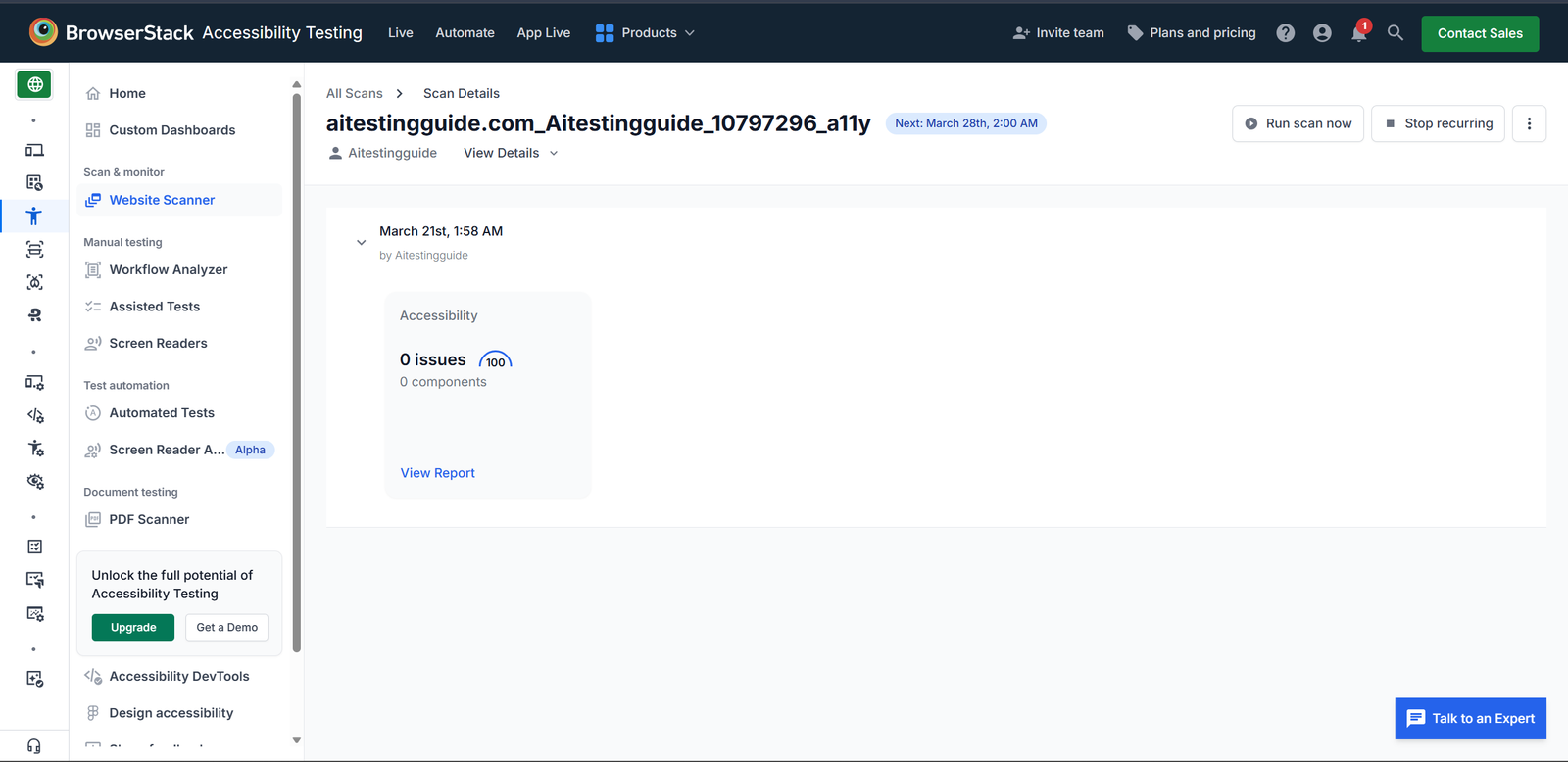
Test Observability also identifies flaky tests, shows test execution trends over time, and provides actionable insights for improving test suite stability.
CI/CD Integration
BrowserStack integrates with GitHub Actions, Jenkins, CircleCI, Azure DevOps, Bitbucket Pipelines, and most major CI/CD platforms. Tests can be triggered automatically as part of your deployment pipeline.
The integration documentation is among the best in the industry — clear, practical, and covering every major framework and CI/CD platform with working examples.
Local Testing
BrowserStack Local allows you to test websites and applications running on your local machine or behind a firewall using BrowserStack’s real devices and browsers. This is valuable for testing staging environments before deployment.
What I Like About BrowserStack
Real device coverage is unmatched. 3,500 plus real devices is more than any competitor offers. For mobile testing in particular, BrowserStack’s device coverage eliminates the gap between test environment and production.
Documentation is excellent. BrowserStack has some of the best integration documentation in the testing tools space. Every framework, language, and CI/CD platform is covered with clear, working examples.
Easy to integrate with existing frameworks. Adding BrowserStack to an existing Selenium or Playwright framework requires minimal code changes. The integration is genuinely straightforward.
Test Observability adds real value. The automatic failure classification and flakiness detection are features that teams previously had to build themselves. Having them built into the platform saves significant engineering time.
Transparent pricing. Unlike most AI testing tools, BrowserStack publishes its pricing publicly. You know exactly what you are paying before any sales conversation.
Strong free trial. The free trial gives you access to all features with no credit card required. It is enough to properly evaluate the platform against your real test suite.
What I Do Not Like About BrowserStack
Cost adds up for teams. BrowserStack pricing scales with parallel sessions and team size. For teams running large test suites with multiple parallel sessions, the monthly cost can become significant.
Slower than local execution. Running tests on BrowserStack’s cloud is inherently slower than running locally due to network latency. For large test suites, this adds meaningful time to pipeline runs.
Free tier is trial only. BrowserStack does not offer a permanent free tier. After the trial, you need a paid plan. For individual SDETs building skills on a budget, this is a limitation. Free alternatives like Selenium with a local browser are better for learning.
Session limits on entry plans. Entry-level plans have limited parallel sessions, which can become a bottleneck for teams with growing test suites.
BrowserStack Pricing 2026 — Full Plan Breakdown
BrowserStack pricing in 2026 starts at $29 per month for manual testing and scales up based on the product, the number of parallel sessions, and your team size. BrowserStack splits pricing across separate products, which is what makes its pricing confusing — so here is the clear breakdown.
The key distinction: manual testing products (Live, App Live) charge per user, while automation products (Automate, App Automate) charge per parallel session — the number of tests you can run at the same time.
| Plan | Starting Price | Best For | Billing |
|---|---|---|---|
| Live (Desktop) | ~$29/user/mo | Manual cross-browser testing | Annual |
| App Live | ~$29/user/mo | Manual mobile testing | Annual |
| Automate Pro | ~$129-249/parallel/mo | Selenium + Playwright automation | Annual |
| Automate Team | ~$449/mo | Larger automation teams | Annual |
| App Automate | ~$199-249/parallel/mo | Mobile automation (Appium) | Annual |
| Enterprise | Custom quote | Large orgs, custom SLAs | Annual/multi-year |
Pricing is subject to change, and BrowserStack does not publish a complete public price list for every tier — always check browserstack.com/pricing for current rates before buying.
BrowserStack Pricing for Small Businesses
For small businesses and startups, the most cost-effective path is the Live plan at around $29 per user per month for manual testing, or a single-parallel Automate plan if you need automation. Costs rise quickly as you add parallel sessions, so small teams should start with one or two parallels and scale only when test run times become a bottleneck.
Two ways small teams cut cost: choose annual billing (saves up to around 25% versus monthly) and apply for the BrowserStack Open Source Program if you maintain an open-source project — it offers free access. Solo learners on a tight budget are better served by free local Selenium or Playwright until they need real device cloud coverage.
Is BrowserStack Worth the Price?
BrowserStack is worth the price for professional teams that need real device coverage and cannot justify maintaining their own device lab. The real device cloud, transparent entry pricing, and excellent documentation justify the cost at team scale. For solo learners or teams that only test occasionally, cheaper or free alternatives make more sense.
BrowserStack vs Alternatives
| Feature | BrowserStack | Sauce Labs | LambdaTest | Local Selenium |
|---|---|---|---|---|
| Real devices | 3,500+ | 800+ | 3,000+ | ❌ No |
| Browser versions | 3,000+ | 2,000+ | 3,000+ | Limited |
| Free tier | ❌ Trial only | ✅ Limited | ✅ Limited | ✅ Free |
| Pricing transparency | ✅ Public | ⚠️ Partial | ✅ Public | ✅ Free |
| Test Observability | ✅ Yes | ✅ Yes | ⚠️ Basic | ❌ No |
| CI/CD integration | ✅ Yes | ✅ Yes | ✅ Yes | ✅ Yes |
| Documentation quality | ⭐⭐⭐⭐⭐ | ⭐⭐⭐⭐ | ⭐⭐⭐⭐ | ⭐⭐⭐⭐⭐ |
| Best for | All teams | Enterprise | Budget teams | Individual SDETs |
BrowserStack Review — Who Should Use It?
BrowserStack is a good fit if:
- Your team needs real device coverage for mobile testing
- You run Selenium or Playwright tests and need cloud execution
- You want transparent pricing without a sales conversation
- You need excellent documentation for onboarding new team members
- You are building SDET skills and want hands-on experience with an industry-standard tool
- Your team deploys frequently and needs CI/CD integrated testing
BrowserStack is not a good fit if:
- You are a solo learner on a tight budget — use local Selenium instead
- You only need manual testing occasionally — cheaper options exist
- You are primarily testing Salesforce — Testim has stronger Salesforce support
- You need a permanent free tier for ongoing use
BrowserStack for SDET Career Development
BrowserStack is mentioned in more SDET job descriptions than almost any other tool except Selenium. Having hands-on BrowserStack experience on your SDET resume and GitHub portfolio is a genuine career advantage.
The free trial gives you enough access to integrate BrowserStack with your existing Best Selenium frameworks, run tests on real devices, and take screenshots for your portfolio. This is worth doing even if you do not end up using BrowserStack professionally.
Read my complete guide on how to become an SDET in 2026 for the full list of tools that maximize your employability.
Final Thoughts
BrowserStack remains one of the best cloud testing platforms for modern QA teams in 2026, especially for organizations using Selenium, Playwright, and real device testing workflows.
Its biggest strengths are real device coverage, excellent documentation, and enterprise-ready automation support. However, smaller teams and individual learners may find the pricing difficult to justify compared to local testing setups.
For professional QA teams needing scalable cross-browser and mobile testing, BrowserStack is still one of the strongest options available.
Frequently Asked Questions
What does this BrowserStack review conclude about pricing?
This BrowserStack review concludes that BrowserStack is worth it for professional teams needing real device coverage. Plans start from $29 per month, billed annually. A free trial is available at browserstack.com with no credit card required.
Does BrowserStack work with Selenium?
Yes — BrowserStack fully supports Selenium 4. You connect by changing your WebDriver configuration to point to BrowserStack’s remote URL. Your existing Selenium tests run on BrowserStack with minimal code changes.
Is there a free version of BrowserStack?
BrowserStack offers a free trial with access to all features. There is no permanent free tier. After the trial, a paid plan is required.
How many devices does BrowserStack have?
BrowserStack provides access to over 3,500 real devices, including the latest iPhone, Android, and tablet models across multiple OS versions.
What is BrowserStack Test Observability?
BrowserStack Test Observability is an analytics feature that automatically classifies test failures into product bugs, automation bugs, and environment issues. It also identifies flaky tests and provides trend analysis across test runs.