Playwright vs Puppeteer is the first question many JavaScript testers ask before picking a browser automation tool. Both can drive a real browser from code. They differ in scope: Puppeteer is a library for controlling Chrome or Firefox, while Playwright adds a full test framework and a third browser engine. On 15 November 2026 we ran the same login-and-checkout test in both to see what that difference feels like in practice.
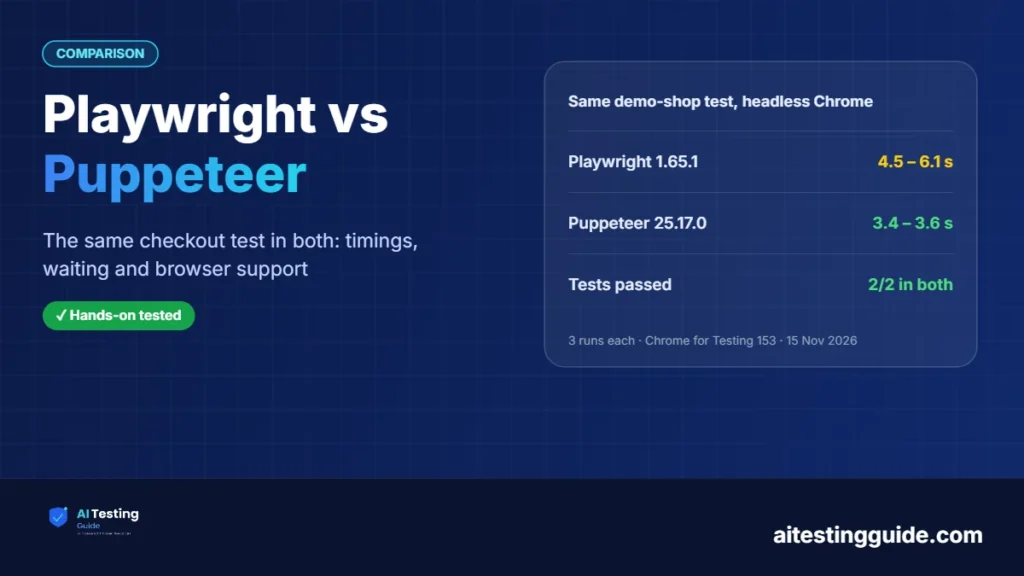
For testing, choose Playwright: it bundles a test runner, assertions, tracing and support for Chromium, Firefox and WebKit. Choose Puppeteer when you only need to script Chrome (or Firefox) from JavaScript. In our 15 Nov 2026 test both passed the same login-and-checkout test; Puppeteer took about 3.5 s, Playwright about 4.5 s.
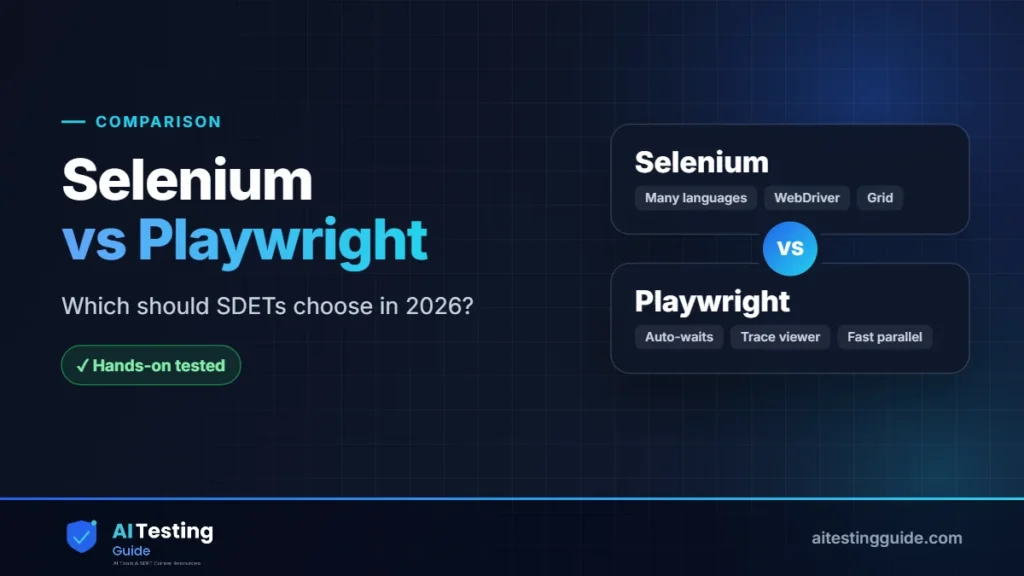
Looking at more options? Cypress vs Playwright compares the two most popular test frameworks, and Selenium vs Playwright covers the older standard. This page focuses on Playwright against Puppeteer. Our Selenium alternatives guide runs the same test in four tools.
Table of Contents
Table of Contents
What is the difference between Playwright and Puppeteer?
Puppeteer describes itself as a JavaScript library that provides a high-level API to control Chrome or Firefox over the DevTools Protocol or WebDriver BiDi, and it runs headless by default (pptr.dev). It automates the browser. It does not come with a test runner, so you add your own.
Playwright runs tests on Chromium, Firefox and WebKit. Its test package, Playwright Test, bundles a test runner, assertions, test isolation and parallelization (playwright.dev). The same Playwright APIs are also available in Python, Java and .NET.
Interviewing for a Playwright role? Our Playwright interview questions cover auto-waiting, fixtures and flaky tests.
In short: Puppeteer is a browser-control library, and Playwright is a browser-control library plus a test framework. For end-to-end testing that difference decides most of the choice; see our end-to-end testing definition if the term is new to you.
Playwright vs Puppeteer: side-by-side comparison
| Playwright | Puppeteer | |
|---|---|---|
| What it is | Browser automation plus the Playwright Test framework | A JavaScript library for controlling Chrome or Firefox |
| Browsers | Chromium, Firefox and WebKit; Chrome and Edge channels | Chrome and Firefox |
| Test runner and assertions | Included (Playwright Test) | Not part of Puppeteer; we used Node’s built-in node:test |
| Languages | Node.js (JavaScript or TypeScript), Python, Java, .NET | JavaScript (its examples use TypeScript) |
| Firefox support | Playwright’s own Firefox build | Through WebDriver BiDi; many features not supported there (see below) |
| Safari engine (WebKit) | Yes | No |
| Trace file from our run | Yes: --trace on produced a trace.zip per test | Not tested |
| Version we ran (15 Nov 2026) | 1.65.1 | 25.17.0 |
Our test: the same checkout in Playwright and Puppeteer
We built a small “Demo Shop” page for the test. The page has a login form, and an “Add to cart” button that appears 1.5 seconds after login, like a slow API call. Both tools log in, add the item, check out and wait for “Order placed”. A second test checks that a wrong password shows an error. Here is the main test in each tool:
Playwright (@playwright/test):
test('buys a keyboard', async ({ page }) => {
  await page.goto('/');
  await page.getByLabel('User').fill('demo');
  await page.getByLabel('Password').fill('secret123');
  await page.getByRole('button', { name: 'Log in' }).click();
  await page.getByRole('button', { name: 'Add to cart' }).click(); // waits for the late button
  await page.getByRole('button', { name: 'Checkout' }).click();
  await expect(page.getByRole('status')).toHaveText('Order placed');
});
Puppeteer (with Node’s node:test):
test('buys a keyboard', async () => {
  await page.goto(URL);
  await page.locator('#user').fill('demo');
  await page.locator('#pass').fill('secret123');
  await page.locator('#login-btn').click();
  await page.locator('#add').click();   // locator API waits for the late button
  await page.locator('#checkout').click();
  await page.locator('#status ::-p-text(Order placed)').wait();
});| Playwright 1.65.1 | Puppeteer 25.17.0 | |
|---|---|---|
| Run 1 (whole command) | 6.1 s | 3.6 s |
| Run 2 | 4.5 s | 3.5 s |
| Run 3 | 4.5 s | 3.4 s |
| Tests passed | 2 of 2, every run | 2 of 2, every run |
| Old-style click with no waiting | Not applicable: actions wait automatically | page.click('#add') failed: “No element found for selector: #add” |
| Lines in the test file | 19 | 32 (includes browser launch and runner set-up) |
Three things stand out:
- Both did the job. The same page, the same browser and the same two tests passed every time in both tools.
- The speed gap is small and mostly start-up. Puppeteer finished about a second sooner on the whole command, but the test steps themselves take the same time (the page waits 1.5 s and 0.8 s by design). Treat this as one small test on one machine, not a benchmark.
- The line count is not a fair measure. Puppeteer needs launch, close and runner code that Playwright Test supplies. The 13 extra lines are mostly that, not the test logic.
Does Puppeteer wait for elements like Playwright does?
It depends on which API you use. Playwright actions such as click() wait for the element to be ready before acting, so the late “Add to cart” button needed no extra code. In Puppeteer, the newer page.locator() API waited for the button and passed. The older page.click('#add') did not wait and failed in our run with “No element found for selector: #add”.
This matters when you move old Puppeteer scripts into tests. Fixed sleeps are a classic cause of flaky tests, so when you move old scripts into tests, use the locator API in Puppeteer, or let Playwright’s built-in waiting handle it.
Which browsers do Playwright and Puppeteer support?
Playwright supports Chromium, Firefox and WebKit, plus branded Chrome and Edge channels such as chrome and msedge. Its Firefox and WebKit builds are Playwright’s own, and the docs say branded Firefox and Safari are not supported (Playwright browsers). It can also emulate mobile and tablet devices.
Puppeteer supports Chrome and Firefox. With Chrome it uses the DevTools Protocol by default. For Firefox it uses WebDriver BiDi, a cross-browser standard, and the Puppeteer docs list features that BiDi does not yet support, including tracing, accessibility, coverage, drag-and-drop and most emulation methods (Puppeteer WebDriver BiDi page, read 15 Nov 2026). If you need Safari-engine coverage, Puppeteer does not offer it.
Which should you choose for testing?
Choose Playwright if you are writing end-to-end tests. You get the runner, assertions, parallel runs and trace files without extra packages, and one test can run in Chromium, Firefox and WebKit. It is also the better fit if your team writes Python, Java or .NET. Our Cypress vs Playwright and Selenium vs Playwright pages show how it compares with the other big options, and Playwright AI test agents covers its newer AI tooling.
Choose Puppeteer if you only need to script Chrome from JavaScript, for example to take screenshots, create PDFs, check a page or run a small automation, and you already have a test runner you like. It has a smaller scope, which is a good thing when that scope is all you need.
Do not switch just for speed. In our test the difference was about a second on a tiny suite. Switch when you need cross-browser coverage, built-in tooling or another language. If your tests already pass and run on Chrome only, there is no urgent reason to rewrite them. For a wider look at frameworks, see our best Selenium frameworks guide. If you are also weighing Selenium, see our Selenium alternatives guide.
What we did and did not test
We ran the two tests above, three times each, on 15 November 2026, using the same Chrome for Testing 153.0.8010.12 for both tools in headless mode on Linux. We confirmed that Playwright produces a trace file with --trace on. We did not test Firefox or WebKit in either tool (those browsers were not installed in our environment), Puppeteer over WebDriver BiDi, large suites, memory use, scraping, PDF or screenshot features, or any other operating system. Statements about browser support and BiDi limits come from the official documentation listed below, not from our own runs.
Sources and Versions Checked
- Puppeteer documentation and Puppeteer WebDriver BiDi support (read 15 Nov 2026)
- Playwright: Installation / intro and Playwright: Browsers (read 15 Nov 2026)
- Our run, 15 Nov 2026: @playwright/test 1.65.1, puppeteer 25.17.0 (latest on npm that day), Chrome for Testing 153.0.8010.12, Node.js 22.23.4, Linux
Frequently Asked Questions
Is Playwright better than Puppeteer?
For testing, usually yes: Playwright includes a test runner, assertions, tracing and three browser engines. Puppeteer is a good fit when you only need to script Chrome or Firefox from JavaScript.
Is Puppeteer faster than Playwright?
In our 15 Nov 2026 test Puppeteer finished the whole command in about 3.5 s and Playwright in about 4.5 s, but that is one small test and the gap is mostly start-up. It is not a benchmark.
Can Puppeteer test Firefox?
Yes, through WebDriver BiDi, but the Puppeteer docs list features that BiDi does not support yet, including tracing, accessibility and most emulation. Playwright uses its own Firefox build.
Does Puppeteer support Safari or WebKit?
No. The Puppeteer docs name Chrome and Firefox. Playwright supports WebKit, the engine behind Safari.
Does Puppeteer wait for elements automatically?
The locator API (page.locator()) waited for a late button in our test. The older page.click() did not wait and failed with “No element found for selector”.
Should I move from Puppeteer to Playwright?
Move if you need cross-browser tests, a built-in runner or another language. If your Chrome-only tests are stable, there is no urgent need to rewrite them.

QA automation engineer. Each guide says what I ran myself and what I only researched, and I update it when things change. About me
One useful email a week
New guides, tool price changes and AI testing news. No spam.