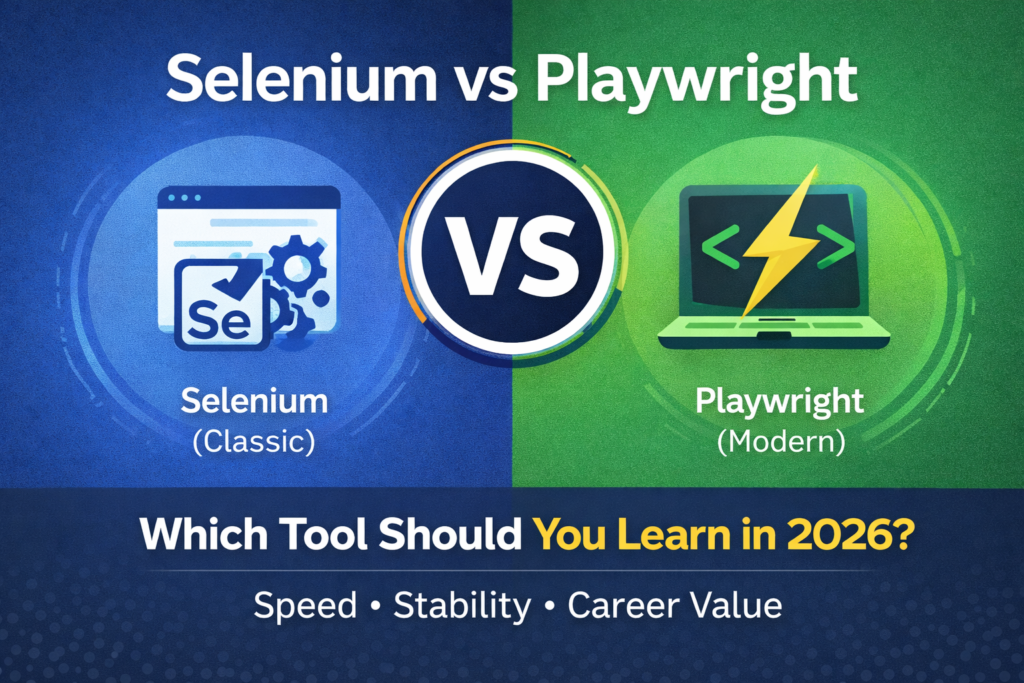
If you are trying to decide between Selenium vs Playwright in 2026, you are facing one of the most common dilemmas in modern test automation. Both tools are widely used, both are in demand, and both have genuine strengths. The wrong choice can cost you months of learning time.
In this guide, I will compare Selenium vs Playwright directly — covering syntax, speed, browser support, CI/CD integration, job market demand, and which one you should learn first based on your current experience level.
Table of Contents
Selenium vs Playwright — Quick Summary
If you are short on time, here is the quick answer. Learn Selenium first if you are a beginner or targeting enterprise job roles. Learn Playwright first if you already know Selenium and want to add a modern tool to your stack. Most experienced SDETs know both.
What Is Selenium?
Selenium is an open-source web automation framework that has been the industry standard since 2004. It supports Python, Java, JavaScript, C#, and Ruby. Selenium works by controlling a real browser through a driver — ChromeDriver for Chrome, GeckoDriver for Firefox, and so on.
Selenium 4, the current version, introduced several improvements, including relative locators, improved Grid architecture, and better Chrome DevTools Protocol support. Despite being over 20 years old, Selenium remains the most widely used web automation tool in enterprise environments in 2026.
For a full list of AI-powered alternatives to Selenium, read my guide to the best AI testing tools for QA engineers.
What Is Playwright?
Playwright is a modern web automation framework developed by Microsoft and released in 2020. It supports Python, JavaScript, TypeScript, Java, and C#. Unlike Selenium, Playwright does not require separate browser drivers — it comes with built-in browser binaries for Chromium, Firefox, and WebKit.
Playwright was built by the same team that originally created Puppeteer at Google. It was designed from the ground up to address the pain points that Selenium users had experienced for years — flaky tests, slow execution, and complex setup.
Playwright has grown rapidly since its release and is now considered the strongest modern alternative to Selenium for new projects.
Selenium vs Playwright — Direct Comparison
| Factor | Selenium | Playwright |
|---|---|---|
| Release year | 2004 | 2020 |
| Created by | Community | Microsoft |
| Language support | Python, Java, JS, C#, Ruby | Python, JS, TypeScript, Java, C# |
| Browser drivers | Required | ✅ Built-in |
| Auto-waiting | ❌ Manual | ✅ Built-in |
| Parallel execution | ⚠️ Complex setup | ✅ Built-in |
| Speed | Moderate | Fast |
| Job market demand | ⭐⭐⭐⭐⭐ | ⭐⭐⭐⭐ |
| Learning curve | Moderate | Moderate |
| Enterprise adoption | Very high | Growing |
| Open source | ✅ Yes | ✅ Yes |
Key Differences Explained
Understanding these key differences in the Selenium vs Playwright debate will help you make the right choice for your career.
1. Browser Driver Setup
This is where Selenium and Playwright differ most practically for beginners.
Selenium requires you to download and manage browser drivers separately. If you want to run tests on Chrome, you need ChromeDriver. If Chrome updates, ChromeDriver needs to update too. Managing driver versions has historically been one of the most frustrating parts of working with Selenium — though Selenium Manager in Selenium 4 has improved this significantly.
Playwright installs everything it needs automatically. When you install Playwright, it downloads its own browser binaries. You never manage driver versions manually. For beginners, this is a significant quality of life improvement.
2. Auto-Waiting
Flaky tests — tests that sometimes pass and sometimes fail without any code change — are one of the biggest problems in test automation. Most flakiness comes from timing issues where the test tries to interact with an element before it is ready.
Selenium requires you to manage waits manually using implicit waits or explicit waits. If you forget to add the right wait, your test will fail intermittently.
Playwright has built-in auto-waiting. Before interacting with any element, Playwright automatically waits for it to be visible, enabled, and stable. This eliminates most timing-related flakiness without any extra code. For teams that have struggled with flaky Selenium tests, this feature alone makes Playwright worth evaluating.
3. Parallel Test Execution
Running tests in parallel — executing multiple tests simultaneously to reduce total run time — is essential for large test suites.
In Selenium, parallel execution requires significant setup. You need to configure Selenium Grid or use a third-party service like BrowserStack or Sauce Labs. This adds infrastructure complexity and cost.
Playwright has built-in parallel execution. Tests run in parallel by default without any additional configuration. For teams that need fast test runs in a CI/CD pipeline, this is a meaningful advantage.
4. Speed
Playwright is significantly faster than Selenium in most scenarios. This comes from its architecture — Playwright communicates with browsers using the Chrome DevTools Protocol directly, which is faster than the WebDriver protocol that Selenium uses.
For large test suites with hundreds of tests, the speed difference becomes very noticeable. A suite that takes 20 minutes in Selenium might complete in 8 minutes in Playwright.
5. Cross-Browser Testing
Both Selenium and Playwright support multiple browsers. Selenium supports Chrome, Firefox, Safari, and Edge through their respective drivers. Playwright supports Chromium, Firefox, and WebKit — which covers Chrome, Firefox, and Safari.
One important limitation of Playwright is WebKit support. Playwright uses its own WebKit build rather than the actual Safari browser. For most testing purposes, this is fine, but it is worth noting if you need exact Safari compatibility.
6. Job Market Demand
This is the most important factor for SDETs who are learning for career purposes.
Selenium is mentioned in significantly more job descriptions than Playwright in 2026. Enterprise companies — banks, insurance firms, large retailers — have invested years in Selenium-based frameworks and are not replacing them quickly. If your goal is to get hired at an enterprise company, Selenium experience is non-negotiable.
Playwright demand is growing fast, particularly at startups, scale-ups, and product companies building modern applications. If you are targeting modern tech companies or remote roles, Playwright experience is increasingly valuable.
The safest career move is to learn Selenium first to meet the baseline requirement, then add Playwright to stand out.
Selenium vs Playwright — Code Comparison
Rather than showing code blocks, here is a plain language comparison of how the same task works in each tool.
Opening a browser and navigating to a URL: In Selenium, you create a WebDriver instance, specify the browser, and call the get method with the URL. In Playwright, you use the sync_playwright context manager, launch a browser, create a new page, and call the goto method. Playwright requires slightly more setup lines, but the browser management is more reliable.
Finding an element and clicking it: In Selenium, you use driver.find_element with a locator strategy like By.ID or By.XPATH. In Playwright, you use page.locator with a CSS selector or text content. Playwright locators are generally more readable and more stable than Selenium XPath expressions.
Waiting for an element: In Selenium, you write an explicit wait with WebDriverWait and an expected condition. In Playwright, you simply interact with the element — auto-waiting handles the rest automatically.
Which Should You Learn First in 2026?
Learn Selenium first if:
- You are a beginner with no automation experience
- You are targeting enterprise companies or large corporations
- Most job descriptions in your target market mention Selenium
- You are studying for SDET interviews — Selenium questions are standard
- You want the largest community and most Stack Overflow answers available
Learn Playwright first if:
- You already have solid Selenium experience
- You are targeting modern product companies or startups
- You are starting a new automation project from scratch with no legacy constraints
- You want faster tests and built-in parallel execution
- You are working primarily with JavaScript or TypeScript
Learn both if:
- You want to be a well-rounded SDET with maximum employability
- You are building your GitHub portfolio and want to demonstrate your range
- You are targeting senior SDET or Test Architect roles
Can You Use Both Selenium and Playwright?
Yes — and many professional SDETs do. They are not mutually exclusive. Some teams use Selenium for their legacy test suite and Playwright for new test development. Others use Selenium for cross-browser regression and Playwright for fast smoke tests in CI/CD.
Knowing both makes you a more versatile and employable SDET. Once you know one framework well, picking up the other takes two to four weeks of focused practice.
Selenium vs Playwright — Community and Support
Selenium has one of the largest testing communities in the world. It has been around for over 20 years and has extensive documentation, thousands of Stack Overflow answers, and countless tutorials. When you get stuck with Selenium, help is almost always one search away.
Playwright has a smaller but rapidly growing community. Microsoft actively maintains it, and the official documentation at playwright.dev is among the best in the testing tool ecosystem — clear, practical, and regularly updated.
For beginners, Selenium’s larger community is a genuine advantage. For experienced engineers, Playwright’s documentation quality often means you need the community less.
My Recommendation
Start with Selenium. Build a real framework with Python, Pytest, and the Page Object Model. Get it on GitHub with CI/CD running. Then add Playwright to your stack.
This approach gives you the foundation that 90% of SDET job descriptions require, plus a modern tool that demonstrates you are keeping up with the industry.
Read my complete guide on how to become an SDET in 2026 for the full learning roadmap, including when and how to add Playwright to your skill set.
Recommended Udemy Course
If you are ready to start learning Selenium practically, this highly rated Selenium Python automation course on Udemy — 4.6 stars with thousands of students — is the best structured starting point available.
Final Thoughts
The Selenium vs Playwright debate does not have a single right answer in 2026. Selenium wins on job market demand and community size. Playwright wins on speed, developer experience, and modern architecture.
In 2026, the smartest move is not to choose one and ignore the other — it is to learn Selenium first, get hired, and then add Playwright to your toolkit. The engineers who know both are the ones getting the most interesting job offers.
Start with Selenium today. Add Playwright in six months. Your future self will thank you.
Frequently Asked Questions
Is Playwright replacing Selenium in 2026?
Not yet. Playwright is growing fast, but Selenium still dominates enterprise job descriptions. Playwright is more common in modern product companies and new projects. Both tools will coexist for several more years.
Is Playwright harder to learn than Selenium?
No — most developers find Playwright easier to set up and use day to day because of built-in browser management and auto-waiting. The learning curve is similar once you understand the basic concepts.
Which is better for CI/CD — Selenium or Playwright?
Playwright has an advantage in CI/CD due to built-in parallel execution and faster test runs. Selenium works well in CI/CD but requires more configuration to achieve the same performance.
Does Playwright support all browsers?
Playwright supports Chromium, Firefox, and WebKit. It does not support Internet Explorer. For most modern web applications, this coverage is sufficient.
Should I learn Selenium or Playwright for my first SDET job?
Learn Selenium first. It appears in significantly more job descriptions and is the standard tool asked about in SDET interviews. Add Playwright once you have your first role.