Some links on this page may be affiliate links. They never change a rating. Details
The pytest vs unittest decision is the first real fork in the road when you set up a Python test suite. One ships with Python; the other is the framework most Python developers now use. This guide settles it the SDET way — with real code, not toy examples.
Quick answerFor new projects in 2026, choose pytest. It needs less boilerplate, uses plain assert statements, has powerful fixtures and parametrization, and scales to parallel runs with pytest-xdist. Pick unittest only when you must stay standard-library-only or are maintaining a legacy xUnit codebase. Pytest can also run your existing unittest tests unchanged.
Key Takeaways
- unittest is built into Python and follows the class-based xUnit style; pytest is a third-party framework using plain functions.
- Pytest needs far less boilerplate — plain
assertinstead ofself.assertEqual(). - Pytest’s
@pytest.fixturesystem is more modular than unittest’ssetUp()/tearDown(). @pytest.mark.parametrizebeatssubTest()for data-driven testing.- Pytest scales to parallel execution trivially with
pytest-xdist(pytest -n auto). - Pytest runs existing unittest tests unchanged, so migration is gradual, not all-or-nothing.
- For SDET interviews, learn pytest deeply but understand unittest — you’ll meet both on the job.
Code check: we ran every runnable example in this guide (unittest, pytest, parametrize, subTest, both mocking styles, pytest running unittest tests unchanged, and the pytest -n auto --html CI command) on pytest 9.1.1 and Python 3.13 on 13 November 2026. All 8 tests passed. We also timed a small parallel run (results in the CI/CD section). The Selenium examples need a browser and a live site, so we did not run those.
Table of Contents
Pytest vs Unittest: What’s the Core Difference?
The core difference is architecture: unittest is class-based and ships with Python, while pytest is function-based and installed separately. unittest follows the xUnit pattern inherited from JUnit, so you write tests inside classes that extend unittest.TestCase. Pytest lets you write tests as plain Python functions with no class required.
That single design choice ripples through everything — syntax, fixtures, parametrization, and how errors are reported. unittest is part of the Python standard library, while pytest lives in the official pytest docs and installs with one pip command.
How Does the Boilerplate Compare Side by Side?
Pytest needs dramatically less boilerplate than unittest for the same test. Below is the exact same login validation written both ways. Notice unittest requires an import, a class, inheritance, and a camelCase assertion method, while pytest needs none of that.
unittest version:
import unittest
from auth import login

class TestLogin(unittest.TestCase):

    def test_valid_login(self):
        result = login("standard_user", "secret_sauce")
        self.assertEqual(result.status, "success")
        self.assertTrue(result.token)

if __name__ == "__main__":
    unittest.main()
pytest version:
from auth import login

def test_valid_login():
    result = login("standard_user", "secret_sauce")
    assert result.status == "success"
    assert result.token
The pytest version is half the size and reads like plain Python. There is no class, no inheritance, and no special assertion vocabulary to memorize. Pytest also auto-discovers any file named test_*.py and any function prefixed with test_, so you skip the manual test-runner setup unittest often needs.
Pytest Fixtures vs Unittest Setup: Which Manages State Better?
Pytest fixtures manage state more flexibly than unittest’s setUp and tearDown methods. unittest ties setup logic to the test class lifecycle, which gets unwieldy when many tests need different combinations of resources. Pytest fixtures are modular, reusable functions you inject only where needed.
This matters most in real automation. Here is a Selenium WebDriver setup both ways — the exact scenario competitors skip.
unittest — setUp / tearDown on the class:
import unittest
from selenium import webdriver

class TestCheckout(unittest.TestCase):

    def setUp(self):
        self.driver = webdriver.Chrome()
        self.driver.get("https://www.saucedemo.com")

    def tearDown(self):
        self.driver.quit()

    def test_page_title(self):
        self.assertIn("Swag Labs", self.driver.title)
pytest — a reusable yield fixture (put in conftest.py):
# conftest.py
import pytest
from selenium import webdriver

@pytest.fixture
def driver():
    d = webdriver.Chrome()
    d.get("https://www.saucedemo.com")
    yield d          # test runs here
    d.quit()         # teardown after yield

# test_checkout.py
def test_page_title(driver):
    assert "Swag Labs" in driver.title
The pytest fixture lives in conftest.py, so every test file in the project can request driver just by naming it as a parameter. You write the setup once and reuse it everywhere. Fixtures also support scopes — function, module, or session — so an expensive resource like a database connection can be created once per session instead of once per test. For ready-made project structures that use this pattern, see our guide to the best Selenium frameworks.
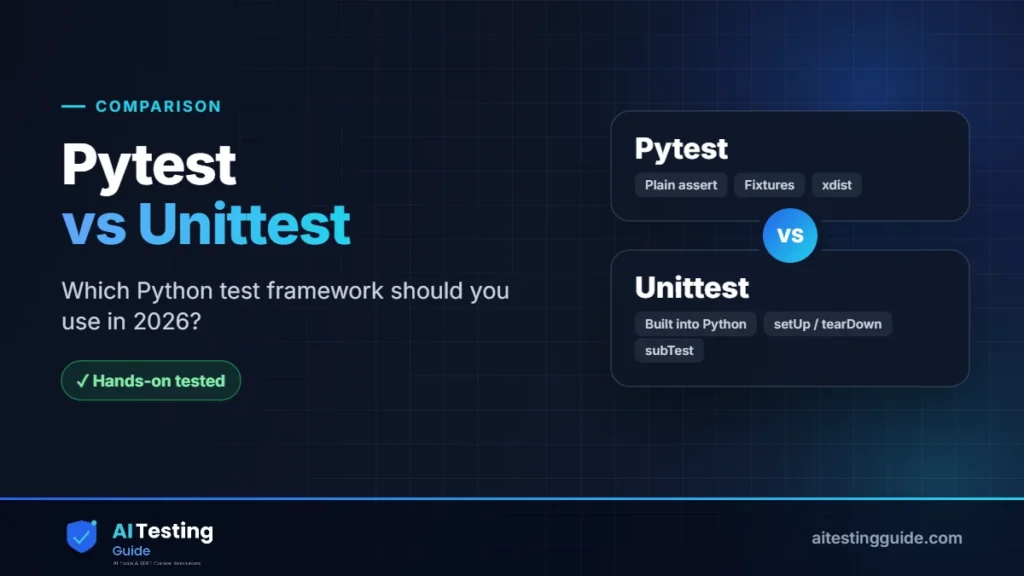
(Insert body diagram image here — the pytest vs unittest comparison chart SVG.)
Pytest Parametrize vs Unittest subTest: How Do You Test Many Inputs?
Pytest handles multiple inputs with a single clean decorator, while unittest forces you into loops or the clunkier subTest. Data-driven testing — running one test against many input sets — is where the gap is most obvious.
unittest — subTest loop:
import unittest
from calc import add

class TestAdd(unittest.TestCase):

    def test_add(self):
        cases = [(2, 3, 5), (0, 0, 0), (-1, 1, 0)]
        for a, b, expected in cases:
            with self.subTest(a=a, b=b):
                self.assertEqual(add(a, b), expected)
pytest — parametrize decorator:
import pytest
from calc import add

@pytest.mark.parametrize("a, b, expected", [
    (2, 3, 5),
    (0, 0, 0),
    (-1, 1, 0),
])
def test_add(a, b, expected):
    assert add(a, b) == expected
Pytest reports each parameter set as its own named test, so a failure tells you exactly which input broke. unittest’s subTest works but groups everything under one test method, making failures harder to read at a glance.
How Do the Two Frameworks Report Failures?
Pytest gives richer failure output through assertion introspection, while unittest often needs custom error messages. When a plain assert fails in pytest, it automatically shows the actual versus expected values, even breaking down dictionaries and lists element by element.
With unittest, self.assertEqual(a, b) tells you the two differ but you often add a manual message to understand why a complex object failed. For debugging large data structures, pytest’s introspection saves real time — you see the exact mismatched key without extra code.
Pytest vs Unittest for Mocking: What’s the Difference?
Both frameworks use the same underlying mocking library, but access it differently. unittest provides unittest.mock directly from the standard library. Pytest users typically add the pytest-mock plugin, which wraps the same tool in a convenient mocker fixture.
# unittest style
from unittest.mock import patch

@patch("api.requests.get")
def test_fetch(mock_get):
    mock_get.return_value.status_code = 200
    ...

# pytest style (pytest-mock)
def test_fetch(mocker):
    mock_get = mocker.patch("api.requests.get")
    mock_get.return_value.status_code = 200
    ...
The logic is identical because pytest-mock is just a thin wrapper over unittest.mock. The pytest version reads cleaner and integrates with the fixture system, so mocks clean up automatically after each test.
Which Is Better for CI/CD and Parallel Execution?
Pytest is significantly better for CI/CD and parallel execution. Running tests across multiple CPU cores in pytest takes one flag — pytest -n auto — using the pytest-xdist plugin. unittest has no built-in parallel runner, so you need a third-party runner or your own multiprocessing code.
In our own run (13 November 2026, a 2-core sandbox), 40 tests that each wait 0.25 seconds, like an API or browser wait, took 10.1 seconds with unittest, 10.4 seconds with plain pytest, 5.8 seconds with pytest -n auto and 3.7 seconds with pytest -n 4. Real gains depend on how independent and I/O-bound your tests are. Pytest also has rich reporting plugins like pytest-html and Allure that drop clean reports into your pipeline artifacts. Here is the GitHub Actions step:
- name: Run tests in parallel
  run: pytest -n auto --html=report.html --self-contained-html
For the full pipeline setup, see our guide to GitHub Actions for test automation. If you’re choosing tools for a browser suite, our Selenium vs Playwright comparison and the best Selenium frameworks roundup pair well here.
Can Pytest Run Existing Unittest Tests? (Migration Playbook)
Yes — pytest runs existing unittest test cases with no changes, which makes migration gradual and low-risk. You point pytest at your test directory and it discovers and executes your unittest.TestCase classes automatically. This means you never have to rewrite everything at once.
# Your old unittest suite — run it with pytest today:
pytest tests/

# Mix styles during migration: new tests as pytest functions,
# old tests stay as unittest classes in the same folder.
The migration strategy is simple: switch your runner to pytest first, confirm everything still passes, then write all new tests in pytest style. Refactor old classes only when you touch them.
The one gotcha: pytest fixtures do not inject cleanly into unittest.TestCase classes. So during migration, your old unittest tests keep using setUp and tearDown, and only your new function-style tests get fixtures. Plan for that and the transition stays painless.
Comparison Table: Pytest vs Unittest at a Glance
| Dimension | pytest | unittest |
|---|---|---|
| Availability | pip install (3rd-party) | Built into Python |
| Style | Plain functions | Class-based (xUnit) |
| Assertions | Plain assert | self.assertEqual() |
| Setup | Modular fixtures | setUp / tearDown |
| Data-driven | @parametrize | subTest() |
| Discovery | Automatic | Manual / explicit |
| Parallel | pytest -n auto | Manual multiprocessing |
| Plugins | 1,000+ ecosystem | Limited |
| Best for | New projects, SDET automation | Legacy, stdlib-only |
Final Thoughts
The pytest vs unittest verdict for 2026 is clear: pytest is the right default for new Python test automation. It removes boilerplate, scales to parallel runs, and has the plugin ecosystem that modern SDET work demands. unittest still earns its place in standard-library-only and legacy environments.
The smartest move is not picking a side forever — it’s knowing both. Pytest runs your unittest tests today, so you lose nothing by adopting it. Learn pytest deeply, understand unittest’s xUnit roots, and you’ll be ready for any codebase. That dual fluency is exactly what comes up in SDET interview questions and along the QA to SDET path.
Sources and Versions Checked
- unittest documentation (Python standard library)
- pytest documentation (examples run on pytest 9.1.1, Python 3.13)
- pytest-xdist documentation (parallel runs; version 3.8.0 used in our timing test)
- PSF and JetBrains Python Developers Survey 2024 (framework usage figures)
Frequently Asked Questions
Is pytest easier to learn than unittest for beginners?
Yes, pytest is generally easier for beginners. It uses plain Python functions and standard assert statements instead of class inheritance and camelCase assertion methods. Beginners write working tests faster because there is less framework-specific syntax to memorize before getting started.
Can pytest run unittest test cases without changes?
Yes. Pytest is backward compatible and discovers and runs existing unittest.TestCase classes automatically. You simply run pytest against your test directory. This lets teams migrate gradually, mixing old unittest classes and new pytest functions in the same project without rewriting anything.
Which framework is better for large Python automation projects?
Pytest is better for large automation projects. Its fixture scoping, parametrization, and pytest-xdist parallel execution scale cleanly to thousands of tests. The 1,000-plus plugin ecosystem adds coverage, reporting, and framework integrations that unittest would require manual effort to match.
Does pytest work better with Selenium and Playwright testing?
Yes. Pytest’s yield fixtures handle browser setup and teardown elegantly, and plugins like pytest-selenium and pytest-playwright integrate directly. The reusable fixture model keeps WebDriver creation in one place, which is cleaner than unittest’s class-bound setUp and tearDown for UI automation.
Is unittest still used in real-world Python projects in 2026?
Yes. unittest remains common in legacy codebases, the CPython standard library, and projects that must avoid third-party dependencies. It is not obsolete — it is simply no longer the default choice for new projects, where pytest is now the more common choice: in the PSF and JetBrains Python Developers Survey 2024 (25,000+ responses, collected October to November 2024), 53% of respondents used pytest and 23% used unittest.
Which testing framework is faster: pytest or unittest?
Baseline execution speed is similar, but pytest scales faster on large suites. With pytest-xdist, you run tests across all CPU cores using pytest -n auto. unittest runs sequentially by default, so on suites with slow, independent tests pytest can finish much faster. In our run, 40 tests with 0.25-second waits took 10.1 seconds with unittest and 3.7 seconds with pytest -n 4.
Which framework is better for CI/CD pipelines and GitHub Actions?
Pytest is better for CI/CD. It needs one command to run, supports parallel execution out of the box with a plugin, and produces clean HTML and Allure reports for pipeline artifacts. These features make it the standard choice for GitHub Actions and other CI tools.
Should QA engineers learn unittest before learning pytest?
Not necessarily. Most QA engineers can start directly with pytest since it is the industry default and easier to learn. However, understanding unittest’s xUnit structure is valuable because you will encounter it in legacy code and interview questions. Learn pytest first, then unittest’s basics.

QA automation engineer. Each guide says what I ran myself and what I only researched, and I update it when things change. About me
One useful email a week
New guides, tool price changes and AI testing news. No spam.