This Applitools review is based on hands-on testing and real-world evaluation in 2026. Visual testing is one of the most underused capabilities in modern QA — and Applitools is the tool that made it mainstream.
In this Applitools review, I will cover exactly what visual AI testing is, what Applitools offers, where it falls short, and who should use it in 2026.
Table of Contents
Applitools Review 2026 — Quick Summary
Applitools is an AI-powered visual testing platform that uses machine learning to detect visual bugs in web and mobile applications. Instead of checking that specific elements exist on a page, Applitools checks that the entire page looks correct visually — catching layout issues, rendering bugs, and design regressions that functional tests miss entirely.
The short verdict from this Applitools review — it is the best visual testing tool available in 2026, and the free tier makes it accessible to individual SDETs and small teams. The main limitation is that it solves a specific problem — visual testing — rather than being a general-purpose automation platform.
What Is Applitools?
Applitools was founded in 2013 and has become the industry standard for AI-powered visual testing. The platform integrates with Selenium, Playwright, Cypress, Appium, and most major automation frameworks — adding visual assertions to your existing test suite without replacing it.
The core technology behind Applitools is called Visual AI — a machine learning model trained on millions of web pages that understands the difference between a real visual bug and an insignificant pixel difference. This distinction is what separates Applitools from basic screenshot comparison tools.
Applitools is used by companies including Salesforce, Toyota, and GitHub. It has become a standard tool in the visual testing category that SDETs are expected to know in 2026.
For a full list of AI testing tools that complement Applitools, read my guide to the best AI testing tools for QA engineers.
This Applitools review covers everything you need to know before signing up for the free tier.
Applitools Key Features
Visual AI Engine
The Visual AI engine is the core of Applitools and what makes it fundamentally different from basic screenshot comparison. Traditional screenshot comparison tools flag any pixel difference as a failure — including harmless differences caused by anti-aliasing, font rendering, and minor browser variations. This produces massive amounts of false positives that waste QA time.
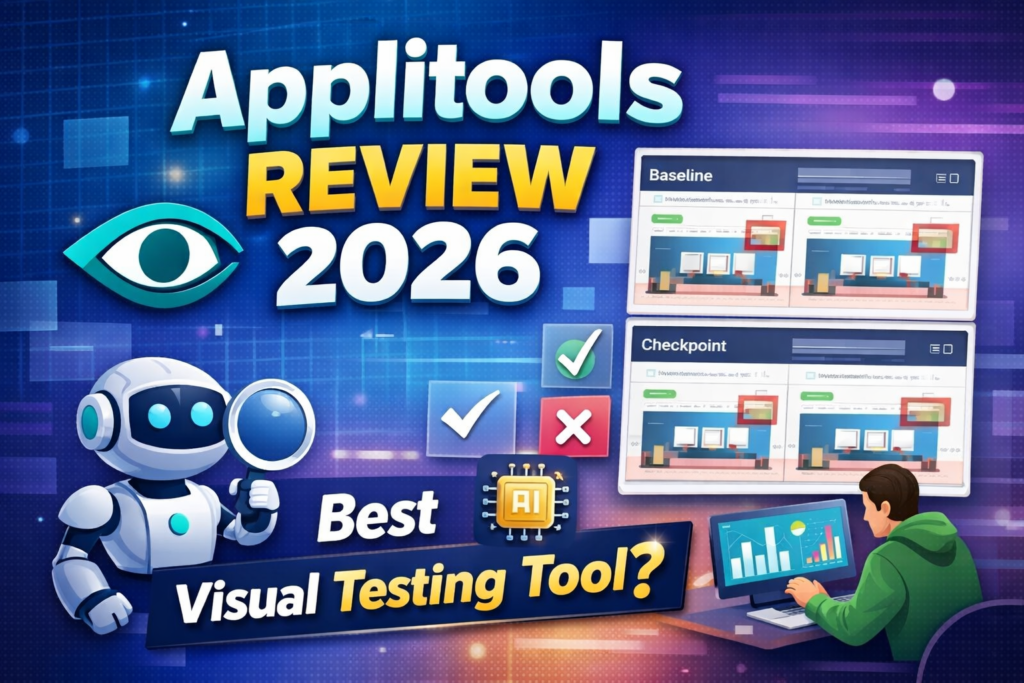
Example: Applitools Visual AI detecting UI differences in a real test
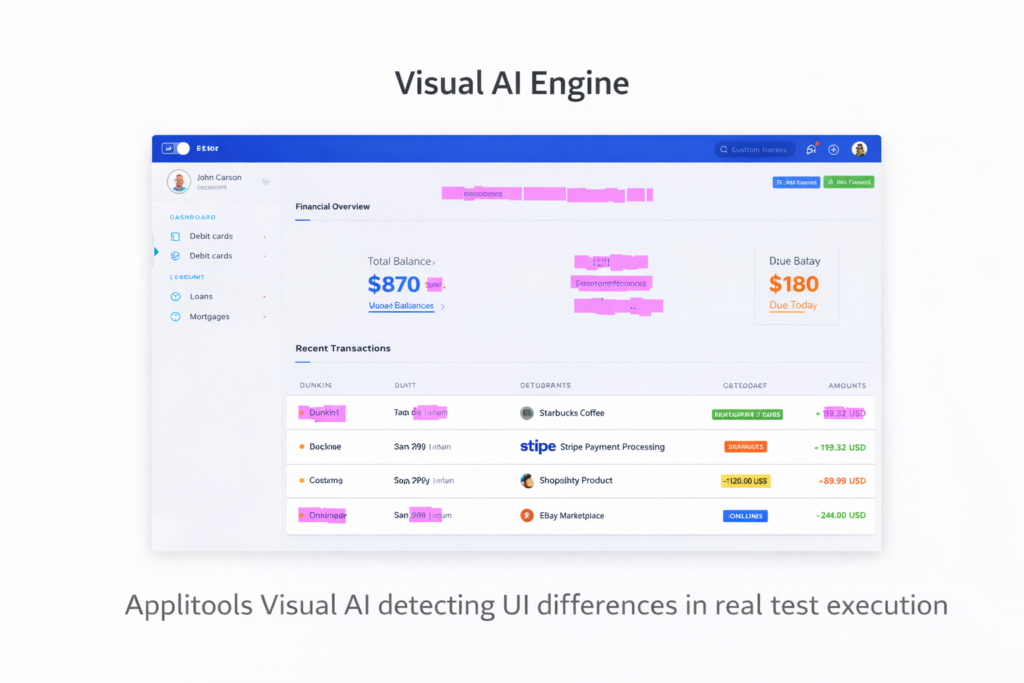
Applitools Visual AI understands what a real visual bug looks like versus what is an insignificant rendering difference. It ignores irrelevant differences and flags only genuine visual problems — like a button that has moved, a text block that is overlapping, or a layout that has collapsed on a specific browser.
Ultrafast Grid
Applitools Ultrafast Grid allows you to run visual tests across multiple browsers and devices simultaneously from a single test execution. Instead of running your test suite separately on Chrome, Firefox, Safari, and Edge, the Ultrafast Grid renders your application in all browsers in parallel and performs visual checks across all of them at once.
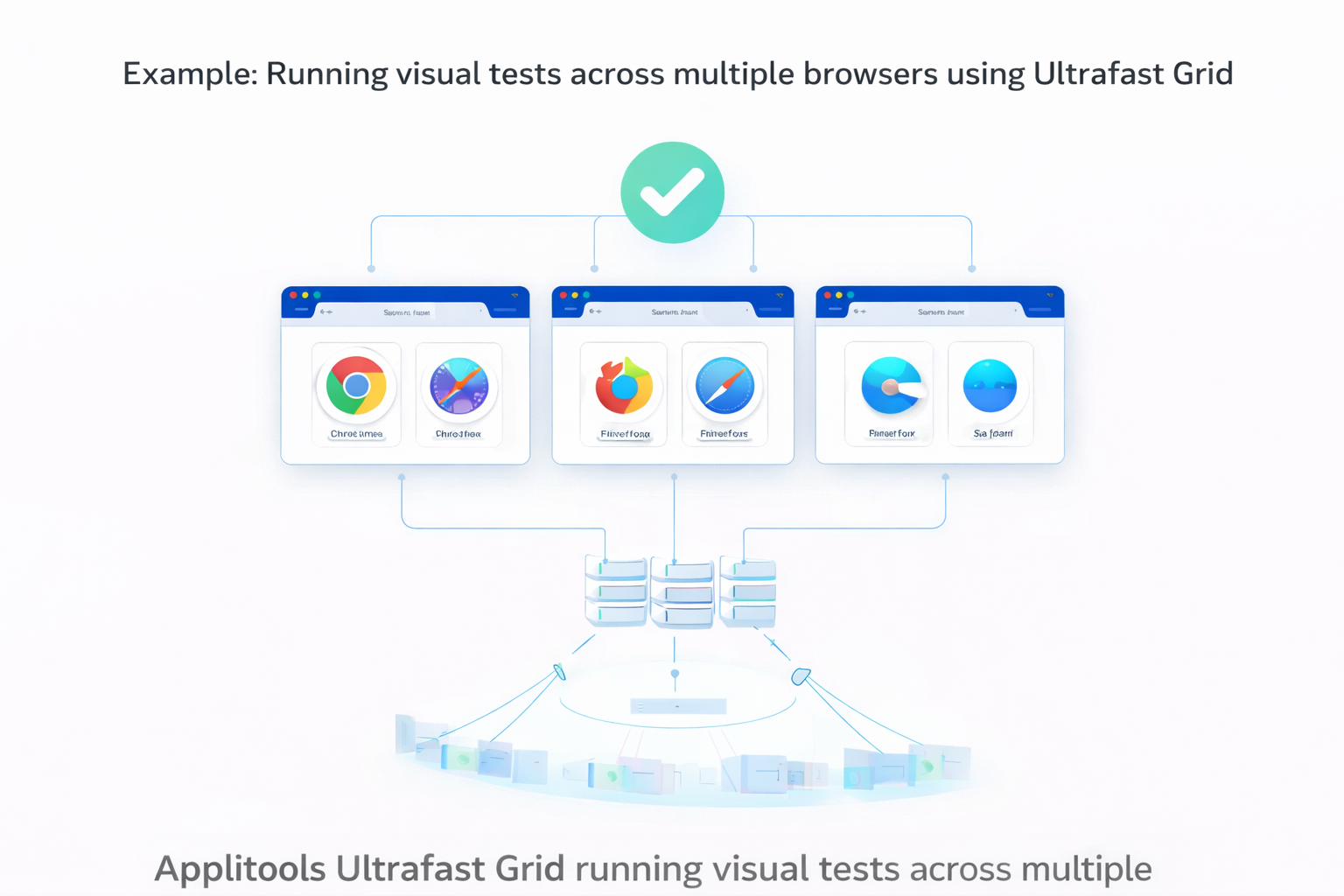
This can reduce cross-browser visual testing time from hours to minutes. A test suite that takes 4 hours to run across 10 browser configurations can complete visual checks in 10 to 15 minutes with the Ultrafast Grid.
Root Cause Analysis
When a visual test fails, Applitools provides root cause analysis that shows you exactly what changed and where. The dashboard highlights the specific differences between the baseline screenshot and the current screenshot with clear visual indicators.
Example: Applitools highlights unresolved visual issues during test execution
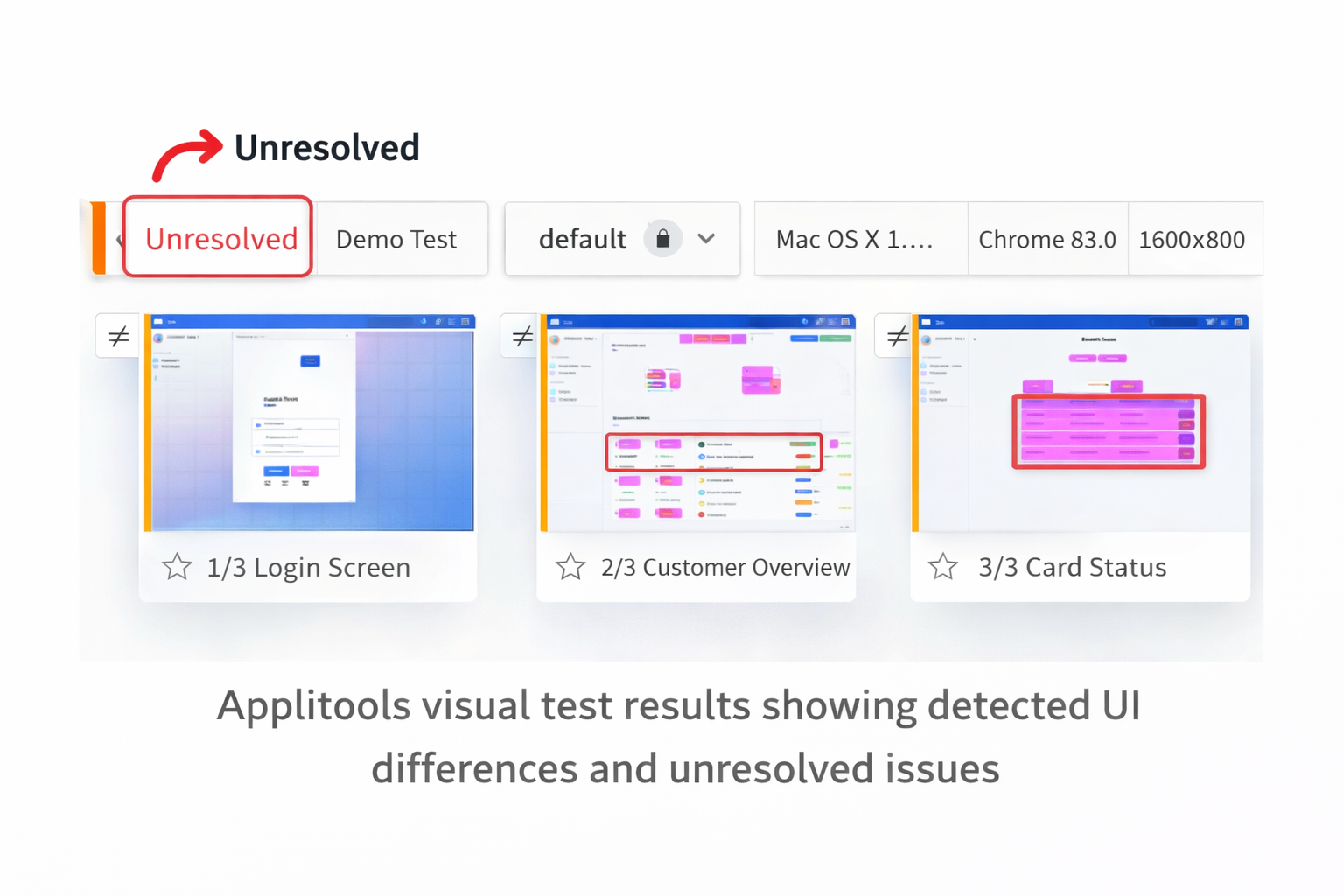
This makes it faster to determine whether a visual failure is a genuine bug or an intentional design change that needs a new baseline.
Cross-Browser and Device Testing
Applitools supports visual testing across Chrome, Firefox, Safari, Edge, and Opera on desktop and across iOS and Android on mobile. Visual tests run consistently across all supported browsers and devices through the Ultrafast Grid.
Integration with Existing Frameworks
Applitools adds visual testing to your existing automation framework rather than replacing it. You add Applitools Eyes SDK to your current Selenium or Playwright test, add visual checkpoints where you want visual assertions, and Applitools handles the rest.
This means you do not need to rewrite your existing tests. You extend them with visual capabilities.
What I Like About Applitools
Visual AI eliminates false positives. The difference between Applitools and basic screenshot comparison is dramatic. Basic tools produce so many false positives that they become unusable. Applitools Visual AI produces meaningful failures that represent real bugs.
Free tier is genuinely useful. 100 visual checkpoints per month are enough for a personal portfolio project or a small application. This makes Applitools accessible to individual SDETs without any cost.
Ultrafast Grid is impressive. Running visual tests across 10 browser configurations simultaneously in 15 minutes instead of 4 hours is a genuine engineering achievement.
Easy to add to existing frameworks. Adding Applitools to an existing Selenium or Playwright test requires adding the Eyes SDK and a few lines of code. The integration is clean and well-documented.
Catches bugs, but functional tests are missed. Layout bugs, CSS regressions, and rendering issues are invisible to functional tests. Applitools catches these automatically.
What I Do Not Like About Applitools
Solves only visual testing. Applitools is not a general-purpose testing tool. It does not replace Selenium, Playwright, or any other automation framework. It adds visual testing on top of your existing stack — which means you need another tool for functional testing.
Pricing is not transparent. Beyond the free tier, Applitools does not publish pricing publicly. All paid plans require contacting sales for a custom quote. For teams trying to evaluate cost independently, this adds friction.
100 checkpoints per month are limited. The free tier is useful for evaluation and portfolio projects, but is too limited for professional use on a real application. Most production test suites would exhaust 100 checkpoints quickly.
Learning curve for advanced features. Basic visual checkpoints are easy to add, but advanced features like layout mode, region ignoring, and Ultrafast Grid configuration require meaningful time to understand and configure correctly.
Applitools Pricing
Applitools offers a permanently free tier with 100 visual checkpoints per month. Beyond the free tier, all plans require contacting sales for custom pricing.
The free tier includes:
- 100 test checkpoints per month
- Unlimited users
- Unlimited test executions
- Access to all Applitools AI features
- Cross-browser and device testing
- Public cloud deployment
You can sign up for the free Applitools account at applitools.com.
Paid plan pricing is subject to change — always check https://applitools.com/platform-pricing/ for current rates.
Applitools vs Alternatives
| Feature | Applitools | Percy | Chromatic | Basic Screenshot |
|---|---|---|---|---|
| Visual AI | ✅ Yes | ⚠️ Basic | ⚠️ Basic | ❌ No |
| Free tier | ✅ 100/month | ✅ 5,000/month | ✅ 5,000/month | ✅ Free |
| Ultrafast Grid | ✅ Yes | ❌ No | ❌ No | ❌ No |
| Framework support | ✅ All major | ⚠️ Limited | ⚠️ Limited | ✅ All |
| False positive reduction | ✅ Excellent | ⚠️ Moderate | ⚠️ Moderate | ❌ Poor |
| Pricing transparency | ❌ Custom | ✅ Public | ✅ Public | ✅ Free |
| Best for | Enterprise QA | Developers | React apps | Basic needs |
Applitools Review — Who Should Use It?
Applitools is a good fit if:
- Your application has a complex UI that changes frequently
- You are experiencing layout bugs that functional tests miss
- You need cross-browser visual consistency testing
- You want to add visual testing to your existing Selenium or Playwright framework
- You are an SDET building portfolio projects that demonstrate advanced testing skills
- Your team is responsible for visual quality across multiple browsers and devices
Applitools is not a good fit if:
- You need a complete testing platform — use Katalon or Mabl instead
- You only need basic screenshot comparison — free tools are sufficient
- Your application has minimal UI complexity
- You are just starting automation — learn Selenium fundamentals first
Applitools for SDET Career Development
Visual testing is an increasingly valued skill in SDET roles in 2026. Adding Applitools to your GitHub portfolio demonstrates that you understand testing beyond functional automation — a differentiator that most junior SDETs lack.
The free tier gives you enough checkpoints to integrate Applitools with a portfolio project, take screenshots showing visual test results, and discuss the implementation in interviews.
Read my complete guide on how to become an SDET in 2026 for the full list of tools that maximize your employability. And for free alternatives to complement Applitools, read my guide to free AI testing tools that actually work.
Recommended Learning Resources
If you want to learn visual testing and Applitools in a structured way, this highly rated Selenium Python automation course on Udemy (4.6⭐ with thousands of students) covers the fundamentals you need before adding Applitools to your framework.
Final Thoughts
This Applitools review concludes that Applitools is the best visual AI testing tool available in 2026. The Visual AI engine genuinely works, the Ultrafast Grid is impressive, and the free tier makes it accessible without cost.
The main limitation is that Applitools solves one specific problem — visual testing. It is not a replacement for your functional test automation stack. It is an addition to it.
For SDETs who want to differentiate themselves with advanced testing skills, learning Applitools on the free tier is one of the highest return investments you can make in 2026.
Overall rating: 4.5 out of 5
The best visual testing tool available. Loses half a point for pricing opacity on paid plans and the limited free tier for production use.
Frequently Asked Questions
Is Applitools free to use?
Yes — Applitools offers a permanently free tier with 100 visual checkpoints per month. No credit card is required. You can sign up at applitools.com and start adding visual tests to your existing framework immediately.
What is Visual AI testing?
Visual AI testing uses machine learning to check that your application looks correct visually — detecting layout bugs, CSS regressions, and rendering issues that functional tests miss. Applitools Visual AI understands the difference between a real visual bug and an insignificant pixel difference.
Does Applitools work with Selenium?
Yes — Applitools integrates with Selenium, Playwright, Cypress, Appium, and most major automation frameworks. You add the Applitools Eyes SDK to your existing test and add visual checkpoints where needed.
How does Applitools compare to basic screenshot testing?
Basic screenshot comparison flags any pixel difference as a failure, producing massive false positives. Applitools Visual AI understands what constitutes a real visual bug and ignores irrelevant rendering differences — making visual test results actionable rather than overwhelming.
What is the Applitools Ultrafast Grid?
The Ultrafast Grid allows you to run visual tests across multiple browsers and devices simultaneously from a single test execution. Cross-browser visual testing that would take hours sequentially completes in minutes with the Ultrafast Grid.